Step by Step Resume Writing: Your 2026 Complete Guide
Step by step resume writing is the structured process of building a clear, well-formatted document that highlights your skills, experience, and achievements to attract recruiters and pass applicant tracking systems. A professional resume is not just a list of jobs. It is a marketing document that proves you are the right fit for a specific role. The good news: a job-ready resume can be completed in under one hour when you follow a defined process covering preparation, format selection, content writing, formatting, and final review.
What should you prepare before writing your resume?
Preparation is the single step most job seekers skip, and it costs them hours of backtracking. Having all required information ready before you open a blank document prevents delays caused by hunting for exact employment dates, official job titles, or contact details mid-draft.
Gather the following before you write a single word:
- Contact information: Full name, phone number, professional email address, city and state, LinkedIn profile URL, and any portfolio or personal website links.
- Work history: Employer names, your official job titles, start and end dates (month and year), and the city where each role was based.
- Education: Degree names, institution names, graduation years, and any honors or relevant coursework.
- Certifications and licenses: Issuing organization, credential name, and expiration date if applicable.
- Key achievements: Specific results you delivered in each role, ideally with numbers attached (revenue generated, costs reduced, projects completed).
- Skills: Both technical skills (software, languages, tools) and transferable skills (project management, communication, data analysis).
Pro Tip: Create a master document that holds all of this information in one place. Update it every time you change roles or earn a new credential. When you need to apply quickly, you will pull from this file instead of rebuilding from memory.
The master document approach also reduces errors. Misremembering a job title or leaving a date gap unexplained are the kinds of mistakes that raise red flags with recruiters. Accuracy at the preparation stage protects your credibility throughout the entire application process.

How do you choose the right resume format?
The format you choose determines how a recruiter reads your story and whether an ATS can parse it correctly. Three formats cover the vast majority of job seeker situations.
| Format | Best for | ATS compatibility | Key advantage |
|---|---|---|---|
| Reverse chronological | Most job seekers with steady work history | Highest | Easy to scan; shows career progression |
| Functional | Career changers, long employment gaps | Lower | Puts skills front and center |
| Combination | Mid-career professionals pivoting industries | Moderate | Balances skills and experience |
The reverse chronological format is the most widely accepted format and the easiest for ATS software to parse. It lists your most recent job first and works backward. Recruiters expect this structure, so deviating from it without a strong reason creates friction.
Functional resumes group your experience by skill category rather than employer. They work for career changers who want to emphasize transferable abilities, but many ATS platforms struggle to read them accurately. Use this format only when the skills emphasis genuinely outweighs the ATS risk.
The combination format opens with a skills summary and then follows with a reverse chronological work history. It suits professionals who are pivoting industries but still have relevant titles and employers worth showing. For guidance on matching your background to the right structure, the Easy-cv guide on resume format types covers each scenario in detail.
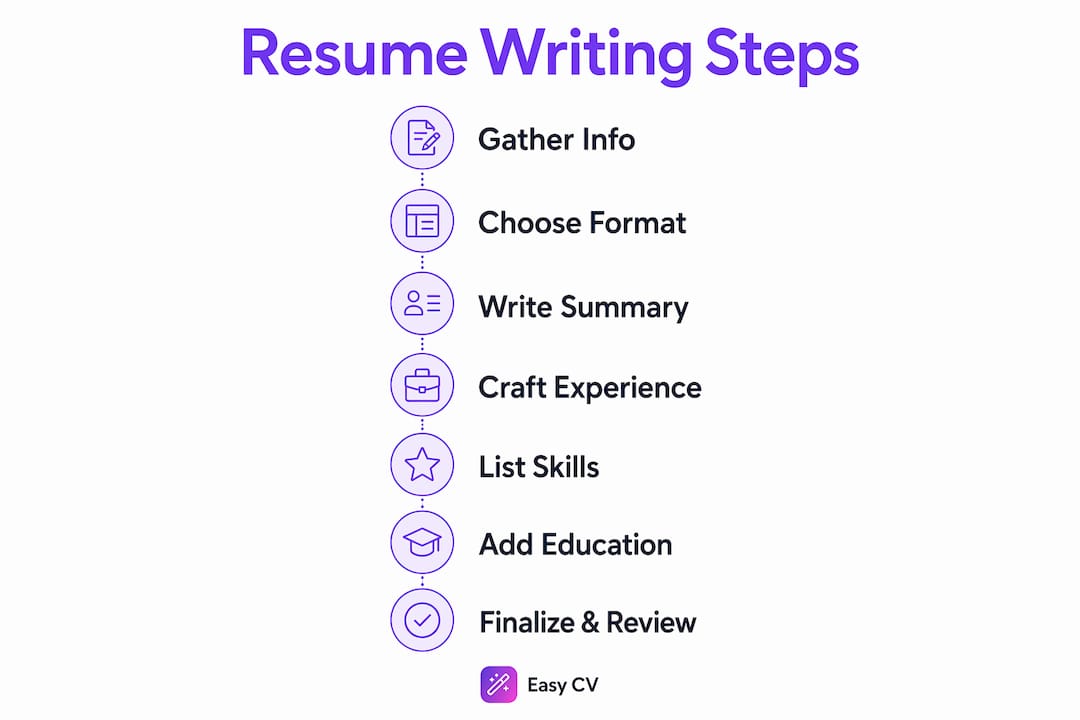
Step by step resume writing: building each section
With your information gathered and your format chosen, you write the actual content. Each section of your resume has a specific job to do.
Writing your professional summary
Your professional summary sits at the top of your resume, directly below your contact information. Write 2–5 sentences that state your job title, years of experience, and the clearest value you bring to an employer. Avoid vague phrases like “results-driven professional.” Instead, name the industry, the function, and one concrete result. A strong summary reads: “Operations manager with 8 years in logistics, specializing in supply chain cost reduction. Delivered $2.4M in annual savings across three distribution centers.”
Crafting your experience bullet points
Each bullet point under a job title should describe an action and its result. Quantifying achievements with numbers, percentages, and metrics is the recognized best practice for demonstrating impact. “Managed a team” tells a recruiter nothing. “Managed a 12-person team that reduced customer complaint resolution time by 34%” tells them everything they need to know.
Start every bullet with a strong action verb: led, built, reduced, increased, launched, negotiated, trained. Aim for 3–5 bullets per role. Focus on the most recent and most relevant positions. Older roles from more than 10 years ago can be condensed to a single line or removed entirely.
Pro Tip: Copy the job description for the role you are applying to and highlight the keywords the employer uses. Mirror that language in your bullet points and skills section. ATS filters scan for exact matches, and tailoring your resume to each posting is the most reliable way to pass the initial screen.
Building your skills section
Recruiters look for 6–8 job-relevant skills tailored to the keywords in the job description. Do not list every skill you have ever used. List the ones that match the role. Group technical skills separately from soft skills when both are relevant. For a data analyst role, that means SQL, Python, and Tableau appear before communication or teamwork.
Adding education and optional sections
Place education after your experience unless you are a recent graduate with limited work history. In that case, education leads. Optional sections worth including: certifications, volunteer work, publications, languages, and professional affiliations. Each one should add relevance, not length.
How do you format a resume for ATS and readability?
Poor formatting is a silent killer of applications. Formatting errors like cramped layouts, inconsistent fonts, or two-column designs cause resumes to be skipped by recruiters or parsed incorrectly by ATS software. The fix is straightforward: follow the standards that both humans and machines expect.
| Element | Recommended standard |
|---|---|
| Body font size | 10–11pt |
| Name font size | 14–16pt |
| Heading font size | 12–13pt |
| Margins | 0.5 to 0.75 inches |
| Font choices | Calibri, Arial, or Helvetica |
| File format | PDF (unless otherwise specified) |
| Layout | Single column |
Standard formatting rules recommend margins of 0.5 to 0.75 inches and body text at 10–11pt. These numbers exist because they balance information density with readability. Going smaller to fit more text makes your resume harder to scan. Going larger wastes space and signals poor judgment.
Two-column resume layouts frequently break ATS parsing despite their modern appearance. A single-column layout ensures every line of text is read in the correct order by automated systems. Save the visual creativity for your portfolio or LinkedIn profile.
White space is critical to scannability. Recruiters spend roughly 6–7 seconds on an initial review. That means your name, current title, and top achievement need to register immediately. Adequate spacing between sections and bullet points lets the eye move quickly without getting lost in a wall of text.
Pro Tip: Save your resume as a PDF before sending unless the job posting specifically requests a Word file. PDFs preserve your formatting across every device and operating system. Name the file professionally: FirstName-LastName-Resume.pdf, not “resume-final-v3-ACTUAL.pdf.”
For a deeper look at layout decisions, Easy-cv’s guide on CV formatting best practices covers 2026 standards in full.
How do you review and finalize your resume?
A resume submitted without a final review is a resume with avoidable errors. Work through this checklist before you send anything:
- Spell check every section. Run a spell checker, then read the document backward sentence by sentence. Spell checkers miss correctly spelled but wrong words (“manger” instead of “manager”).
- Verify all dates and titles. Cross-reference your master document. One wrong date creates a discrepancy that surfaces in background checks.
- Check consistency. Fonts, bullet styles, and date formats should be identical throughout. Mixed formatting signals carelessness.
- Read for keyword alignment. Compare your resume to the job description one more time. Add any missing keywords that appear in the posting and are genuinely part of your background.
- Test on multiple devices. Open the PDF on your phone and on a different computer. If the layout breaks, fix it before sending.
- Time your review. A thorough final check takes roughly 5 minutes per application. Build that time into your process rather than treating it as optional.
Using an AI writing assistant during this stage catches issues that manual review misses. Easy-cv’s built-in AI writing tool refines content and flags weak phrasing before you submit. For a complete pre-submission checklist, the resume checklist guide covers every element worth verifying.
Key takeaways
A professional resume built step by step, with prepared information, the right format, quantified achievements, and clean formatting, passes ATS filters and earns recruiter attention within the critical first scan.
| Point | Details |
|---|---|
| Prepare before you write | Gather all dates, titles, and achievements in a master document before drafting. |
| Choose format deliberately | Use reverse chronological for most roles; it is the most ATS-compatible structure. |
| Quantify every achievement | Numbers and percentages make bullet points credible and memorable to recruiters. |
| Follow formatting standards | Use 10–11pt body text, 0.5–0.75 inch margins, single-column layout, and save as PDF. |
| Tailor for every application | Mirror the job description’s keywords in your skills and experience sections each time. |
What most resume guides get wrong
Most resume advice focuses on what to include. The harder problem is what to cut. I have reviewed hundreds of resumes over the years, and the most common mistake is not missing information. It is too much of the wrong information.
Job seekers treat their resume like a biography. They list every responsibility from every job, going back 15 years, in exhaustive detail. The result is a document that takes three minutes to read and leaves no clear impression. Recruiters do not have three minutes. They have seven seconds, and they are looking for one thing: evidence that you can do this specific job.
The mindset shift that changes everything is treating your resume as a targeted argument, not a complete record. Every line should answer the question: “Why does this make me the right person for this role?” If a bullet point does not answer that question, cut it. If a job from 2008 does not add relevant context, remove it. Brevity is not laziness. It is respect for the reader’s time, and it signals that you understand what the role actually requires.
The other mistake I see constantly is over-designed formatting. Two-column layouts, colored sidebars, and custom icons look impressive in a screenshot. They fail in practice because ATS software reads them as scrambled text. A clean, single-column resume with strong content will outperform a visually complex one almost every time. Invest your energy in the words, not the design.
Finally, maintain that master document religiously. Every time you complete a project, earn a certification, or receive measurable feedback, add it immediately. When you need to apply quickly, you will have a bank of achievements to draw from rather than trying to reconstruct your career history under pressure.
— Andras
Easy-cv makes resume building faster and more accurate
Building a polished, ATS-ready resume from scratch takes time. Easy-cv brings the entire process into one place, from format selection to AI-powered content refinement, so you spend less time on mechanics and more time applying.
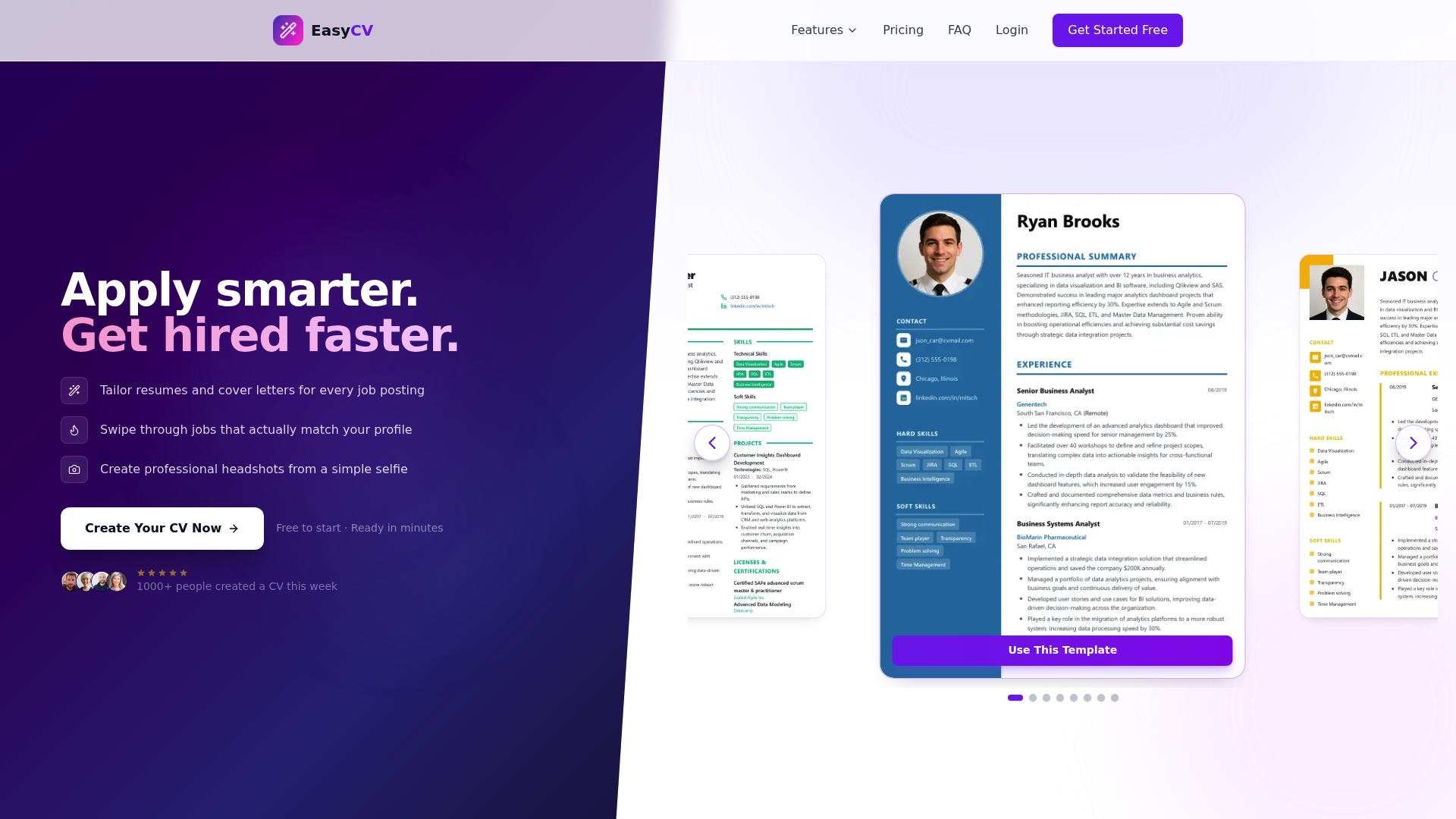
Easy-cv’s AI resume builder generates and refines professional content, applies ATS-friendly templates automatically, and lets you tailor your resume and cover letter for each application in minutes. The platform supports resumes in 30+ languages and includes an AI headshot generator that turns a standard selfie into a professional photo. Whether you are writing your first resume or updating one after years in the same role, Easy-cv’s full feature set covers every step of the process without the guesswork.
FAQ
How long does it take to write a resume from scratch?
A complete, job-ready resume takes under one hour when you follow a structured process covering preparation, format selection, writing, formatting, and final review.
What is the best resume format for most job seekers?
The reverse chronological format is the best choice for most job seekers. It is the most ATS-compatible structure and the format recruiters expect to see.
How many skills should I list on my resume?
List 6–8 skills that directly match the keywords in the job description. A longer list dilutes relevance and makes it harder for recruiters to identify your strongest qualifications.
Should I save my resume as a PDF or Word document?
Save and send your resume as a PDF unless the job posting specifically requests a Word file. PDFs preserve formatting across all devices and operating systems.
How do I make my resume pass ATS filters?
Use a single-column layout, mirror keywords from the job description in your skills and experience sections, and avoid tables, graphics, or two-column designs that break automated parsing.