How resume templates help you land more interviews fast

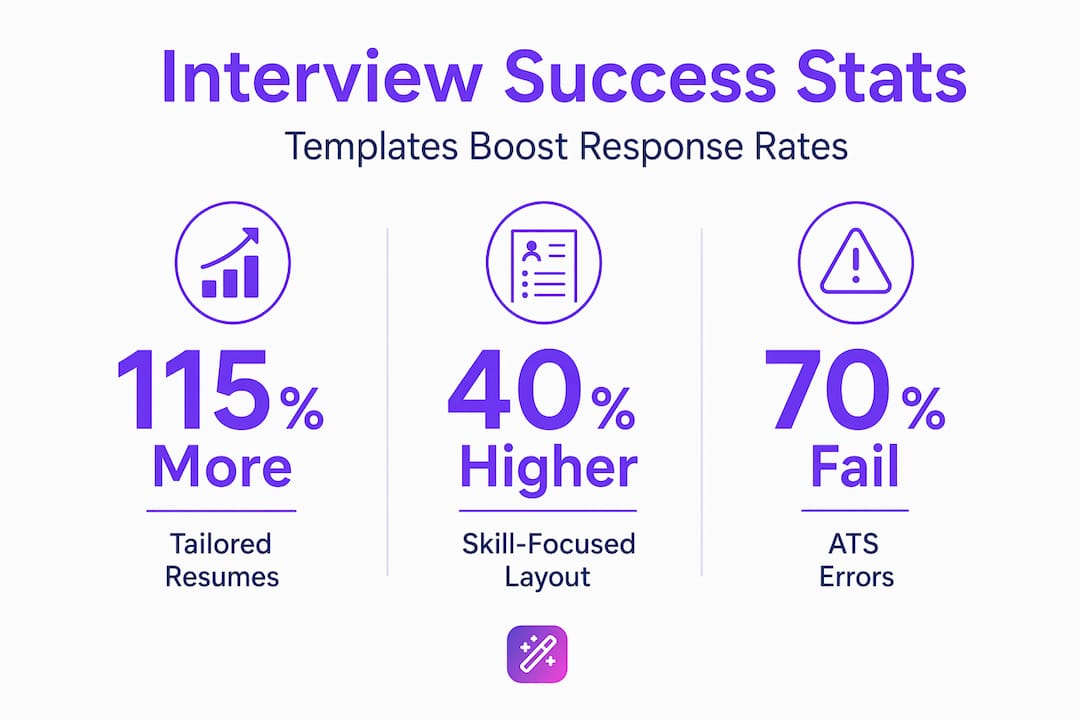
Most resumes never reach a human recruiter. They get blocked automatically by software before anyone reads a single word. 70% of resumes fail ATS due to formatting issues, and 68% get flagged for missing keywords. That means your qualifications, your years of experience, your career achievements — none of it matters if your resume can’t pass the first gate. Resume templates, especially AI-powered ones, are the most reliable way to fix this problem and start converting applications into actual interviews.
Table of Contents
- Why resume templates matter in today’s job market
- ATS-friendly vs. flashy: What really works?
- How templates unlock higher interview success
- Customizing templates for career pivots and AI optimization
- The truth about resume templates and genuine career growth
- Ready to win more interviews? Start with smarter templates
- Frequently asked questions
Key Takeaways
| Point | Details |
|---|---|
| ATS-friendly templates win | A well-structured, ATS-optimized template dramatically raises your chances of getting seen by recruiters. |
| Personalization drives interviews | Resumes tailored by AI-powered templates achieve up to 115% higher interview rates versus generic documents. |
| Design isn’t everything | Flashy looks can hurt you; simple, compliant formatting works best in automated screening systems. |
| AI helps career pivots | Flexible, smart templates make it easier to spotlight transferable skills and succeed in career transitions. |
Why resume templates matter in today’s job market
Think about what happens the moment you hit “submit” on a job application. Your resume lands in an Applicant Tracking System, which is software that reads, parses, and scores your document before any recruiter lays eyes on it. ATS platforms don’t appreciate creative fonts, multi-column layouts, or decorative headers. They want clean, predictable structure. A well-chosen template solves that problem before it starts.
ATS-friendly templates use reverse-chronological order, standard headings like “Work Experience” and “Education,” and strategic keyword integration. These are the formatting choices that pass parsing by systems used by 99% of Fortune 500 companies. This isn’t a minor competitive advantage — it’s the baseline requirement for even being considered.
Here’s why templates matter beyond the technical side:
- Structure signals professionalism. A well-organized resume tells the reader you know how to present information clearly, a skill valued in virtually every role.
- Consistent formatting reduces reading friction. Recruiters spend an average of 6 to 7 seconds on an initial resume scan. Templates ensure the most important information is where they expect to find it.
- Templates speed up customization. Instead of rebuilding from scratch for each application, you start from a proven framework and refine from there.
- They reduce formatting errors. Margins that shift, fonts that render oddly, or sections that collapse — all common when building freehand — are eliminated with a solid template.
“The best resume isn’t necessarily the most creative one. It’s the one that communicates the right information, in the right place, at the right time — for both the software and the human reading it.”
If you want to see what this looks like in practice, exploring professional resume templates gives you a concrete sense of how structure and design choices interact. The more you understand about AI for resume writing, the more control you have over the outcome.
ATS-friendly vs. flashy: What really works?
It’s tempting to stand out with a bold, visually striking resume. Colorful headers, icons, progress bars for skills, two-column layouts — they look impressive in a design portfolio. But in most hiring pipelines, they get you rejected before a human ever sees them.
Templates save time and design effort, but they risk ATS rejection if they’re non-compliant. Experts consistently prioritize ATS-safe designs over flashy ones, particularly for roles at large organizations using automated screening. The rule of thumb: single-column layout, no graphics, no text boxes, and standard section headings.
Here’s a quick comparison to help you decide:
| Feature | ATS-friendly template | Flashy/design-heavy template |
|---|---|---|
| Multi-column layout | No | Often yes |
| Graphics or icons | No | Yes |
| Standard headings | Yes | Sometimes altered |
| ATS parse rate | High | Low to none |
| Recruiter impression | Clean and professional | Visually impressive but risky |
| Best use case | Corporate, large employers | Creative fields, small startups |
The other major risk with templates is over-reliance on the same widely used designs. 65% of resumes use generic templates, which reduces uniqueness and hurts differentiation in competitive markets. When a recruiter reviews 200 resumes and 130 of them look identical, none of them stand out.
Here’s how to quickly assess whether a template is actually ATS-safe:
- Check the column structure. Single column is almost always safer than two columns.
- Look for text boxes. ATS systems often skip over content inside text boxes entirely.
- Test with a plain-text copy. Paste your resume into a plain text document and see if the content still reads logically.
- Review the section headings. “Work Experience” works. “My Professional Journey” does not.
- Avoid headers and footers for key information. ATS parsers frequently miss content placed in header or footer regions.
Pro Tip: Before you submit, run your resume through a free ATS simulator to verify it’s parsing correctly. Many job seekers skip this step and only discover the problem after weeks of silence from employers.
Understanding why professional resume templates matter goes deeper than just structure. The best templates are designed with both audiences in mind: the software that reads first and the human who decides.
How templates unlock higher interview success
Let’s talk numbers, because the data here is genuinely striking. Personalization combined with a strong template doesn’t just marginally improve results — it transforms them.
Tailored resumes using templates deliver a 115% higher interview success rate compared to generic submissions. That same research found that customized resumes are 61% more likely to generate interview callbacks than their one-size-fits-all counterparts.

To put that in practical terms: if you’re currently sending out 10 applications and getting 1 response, a properly tailored template approach could get you 2 to 3 responses from the same 10 applications. That’s not a small improvement. That’s a fundamentally different job search experience.
Here’s a breakdown of how different customization levels affect outcomes:
| Resume approach | Estimated interview rate | Key advantage |
|---|---|---|
| Generic template, unedited | 5 to 8% | Speed of submission |
| Template with keyword edits | 12 to 18% | ATS pass-through |
| Fully tailored template | 20 to 30%+ | Relevance to job description |
| AI-optimized tailored resume | 25 to 35%+ | Keyword precision, formatting |
The practical steps to unlocking these results are straightforward:
- Start with the job description. Pull out the exact language the employer uses for skills, responsibilities, and qualifications.
- Map that language to your template sections. Insert relevant keywords into your summary, experience bullets, and skills list.
- Quantify your impact. Replace vague claims with specific numbers wherever possible.
- Align your summary to the role. A generic “results-driven professional” opening line wastes valuable real estate. Instead, mention the specific role and your most relevant credential.
- Review once more after editing. Make sure the edits flow naturally and that the template still reads cleanly.
Understanding the full range of resume builder advantages helps you see how the template is just the starting point. What you do with it determines your actual results.
Customizing templates for career pivots and AI optimization
Career changes present a unique resume challenge. When you’re shifting industries or roles, your past job titles may not match what the employer is looking for. A rigid resume format works against you here. Flexible AI-powered templates work in your favor.
The core strategy is spotlighting transferable skills rather than defaulting to a chronological job history that may seem unrelated. For example, a project manager moving into UX design can highlight stakeholder communication, deadline management, and cross-functional collaboration — all directly relevant to a UX role — rather than burying them under job titles that don’t match.
Flexible AI templates for transitions highlight transferable skills and PAR-structured bullet points, with benchmarks showing a 40% callback boost from metrics-focused content. PAR stands for Problem, Action, Result. It’s the most effective format for bullet points because it tells a complete story in a compact space.
Here’s what a PAR bullet looks like in practice:
- Generic version: “Managed customer complaints and improved satisfaction.”
- PAR version: “Resolved 95% of escalated customer complaints within 24 hours, improving customer satisfaction scores by 22% over six months.”
The second version gives a recruiter everything they need to evaluate impact. It’s specific, measurable, and action-oriented. AI-powered templates with built-in suggestions can help you generate these kinds of bullets even when you’re not sure how to frame your experience.
Key strategies for customizing templates during a career pivot:
- Use a functional or hybrid layout if your most relevant skills aren’t tied to your most recent job titles.
- Rewrite your summary section to position yourself for the new role, not the old one.
- Group transferable skills prominently rather than burying them in a skills section at the bottom.
- Remove or condense experience that doesn’t serve the new narrative to keep the document focused.
- Use AI suggestions to fill gaps in language or framing, especially for industries with specific terminology you’re still learning.
Pro Tip: For career changers, your resume summary is your most powerful real estate. Spend as much time on those 3 to 4 sentences as you do on the rest of the document combined. AI tools can generate multiple versions so you can compare and choose the strongest one.
Exploring how AI in job search works helps you see why automation isn’t about replacing your voice — it’s about sharpening your presentation. Pairing that with an AI-optimized resume checklist ensures you don’t leave any easy wins on the table.
The truth about resume templates and genuine career growth
Here’s something the internet rarely says plainly: templates are a foundation, not a finish line. The biggest mistake job seekers make is treating a good template as a complete solution. They download something well-designed, fill in their information, and submit it unchanged across 50 applications. Then they wonder why nothing happens.
Templates give you structure. They do not give you differentiation. And in a job market where hiring managers screen dozens of applications for a single role, differentiation is what gets you called. A template that isn’t personalized is just a neat container for the same generic content everyone else is submitting.
The candidates who consistently land interviews understand one thing clearly: the template handles how information is presented, but what information you present is entirely on you. And what information you present needs to reflect the specific role, the specific company, and the specific problem that employer is trying to solve by hiring someone.
We’ve seen this pattern repeatedly. Job seekers who spend an hour tailoring one application outperform those who spend the same hour submitting ten generic ones. Less volume, more precision. The data backs this up — smarter job search tactics consistently outperform high-volume spray-and-pray approaches.
The other thing worth saying directly: don’t let “template” imply “cookie-cutter.” The best resumes we see are built on clean, ATS-compliant templates that have been so thoroughly customized that the template itself is invisible. All you see is a clear, compelling, relevant professional story. That’s the goal. The template just makes it easier to get there.
Ready to win more interviews? Start with smarter templates
You’ve seen the research. You know what separates a resume that gets ignored from one that generates callbacks. Now the question is execution.
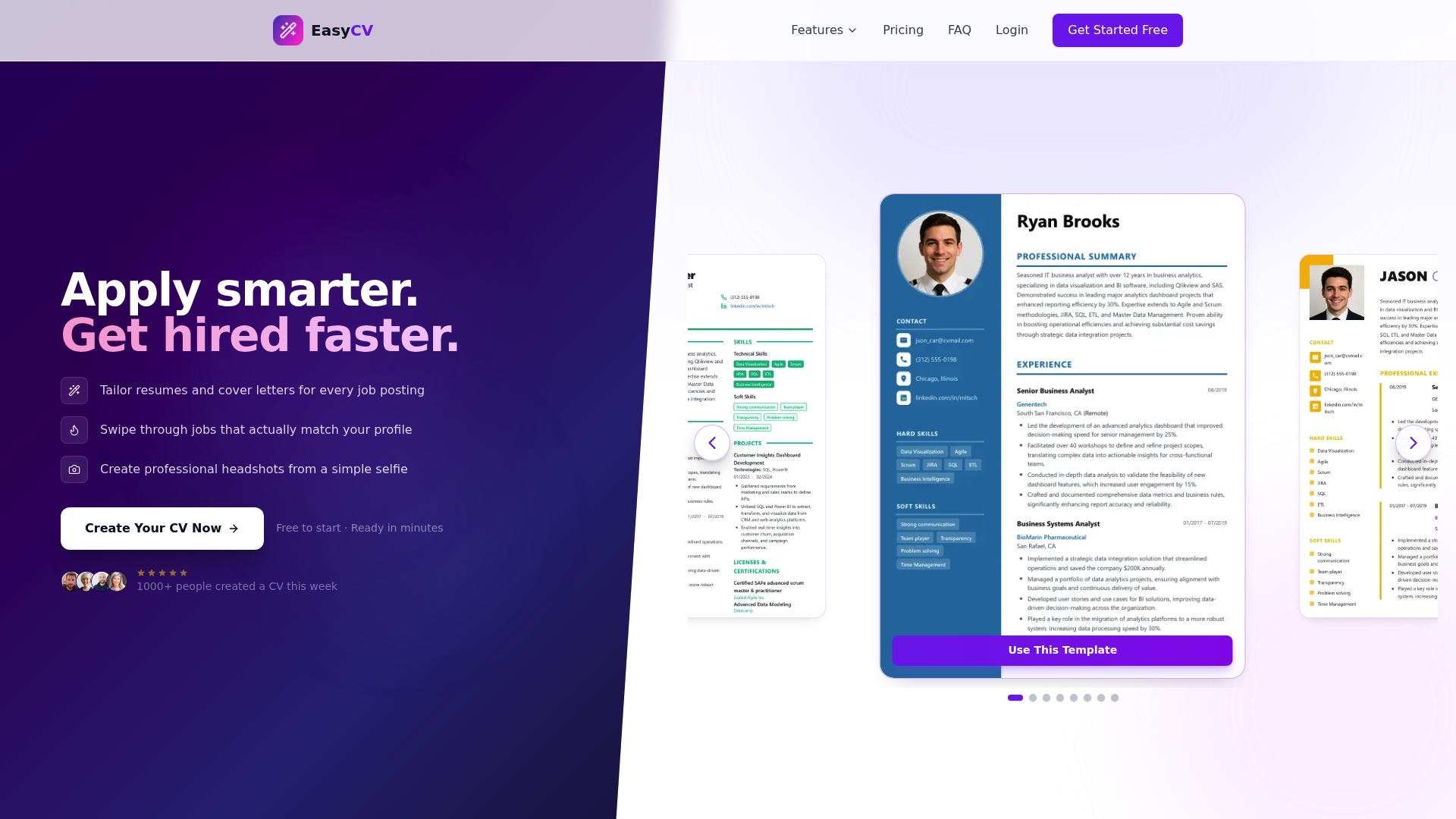
EasyCV.ai is built specifically for this challenge. The platform’s AI resume builder lets you generate tailored resumes matched to specific job descriptions, with built-in keyword optimization and ATS-friendly formatting baked into every template. You’re not just filling in a blank document — you’re working with AI that actively improves your content and flags what’s missing. Explore the full range of Easy CV features to see how cover letter generation, job matching across 10 million listings, and multi-version resume management can transform your job search from exhausting to efficient. Start for free and see how quickly a smarter template strategy changes your results.
Frequently asked questions
Are resume templates bad for standing out in job applications?
Generic, unedited templates can make you blend in, but tailored templates improve interview chances by 115% when customized to each role. The issue isn’t the template — it’s the lack of personalization, since 65% of resumes use generic templates without adjustment.
Can ATS parsing reject my resume due to template choice?
Yes. 70% of resumes fail ATS for formatting or missing keywords, so choosing a single-column, graphics-free, ATS-compliant template is essential before you even think about content.
How do AI-powered resume templates help career changers?
Flexible AI templates highlight transferable skills and use structured bullet formats that benchmarks link to a 40% increase in callbacks, making them especially valuable when your job history doesn’t directly match the target role.
What is the difference between a generic and a personalized template?
A personalized template aligns content, language, and structure directly to the target job description. Tailored resumes double your chances of landing interviews compared to submissions that aren’t customized.