How to use AI for resume writing: steps, tools, and tips

You’ve applied to dozens of jobs and heard nothing back. Your resume looks fine to you, but it keeps getting buried under hundreds of other applications before a human ever reads it. The frustrating reality is that most resumes fail not because of weak experience, but because they’re written in vague language, lack measurable results, and miss the exact keywords recruiters and automated systems are scanning for. AI changes that equation entirely, and this guide walks you through every step, from setup to submission, so your resume actually gets noticed.
Table of Contents
- What to prepare before using AI for your resume
- How to use AI to write and optimize your resume
- Avoiding common AI resume mistakes
- When human judgment matters: advanced use cases for AI resumes
- The uncomfortable truth about AI-driven resumes
- Ready to transform your resume with AI?
- Frequently asked questions
Key Takeaways
| Point | Details |
|---|---|
| Preparation is critical | Gather all documents and understand ATS formatting before using AI. |
| Edit AI output | Always review and personalize AI suggestions to maintain authenticity. |
| Avoid common pitfalls | Don’t over-optimize or include unverified data—these hurt ATS scores and credibility. |
| Hybrid approach works best | Blending AI efficiency with human judgment creates stronger resumes. |
| Choose reputable tools | Select AI resume builders that support ATS-safe formats and easy editing. |
What to prepare before using AI for your resume
Now that you know why AI matters, let’s set you up for success by starting with the right materials and tools.
Before you type a single prompt into an AI tool, you need the right inputs. Think of it like cooking: even the best kitchen equipment can’t make a great meal without quality ingredients. Your ingredients here are your existing resume, a clear picture of the roles you’re targeting, and a basic understanding of how hiring systems work.
Start by gathering these core materials:
- Your most recent resume in an editable format (Word or Google Docs, not just a PDF)
- At least three job postings for the roles you’re targeting
- A list of your key accomplishments with numbers attached (revenue generated, percentage improvements, team size managed)
- Notes on skills, certifications, and tools you’ve used professionally
- A PDF reader to review final resume output before sending
Once you have these, you’re ready to select your tools. The Easy CV platform handles AI content generation, formatting, keyword optimization, and ATS checking all in one place, which saves significant back-and-forth between multiple apps. Supplementary tools like Grammarly can support proofreading after AI edits, though most strong AI resume builders already include grammar checks.
One critical concept to understand before diving in is ATS, which stands for Applicant Tracking System. This is software that most employers use to screen resumes automatically before a recruiter sees them. ATS systems are sensitive to formatting. AI-driven recruiting efficiency has made these systems faster and more precise, meaning your formatting choices matter more than ever. Stick to single-column layouts, standard fonts, and clean section headers.
Research from American University confirms that AI helps in four key areas: formatting for ATS-safe structure and appropriate fonts, writing content with strong action verbs and metrics, matching keywords from the job posting without stuffing, and proofreading for errors. Knowing this upfront helps you use each tool with intention.
| Preparation task | Why it matters | Suggested tool |
|---|---|---|
| Gather job descriptions | Identifies target keywords | Copy into AI prompt |
| List measurable achievements | Gives AI accurate data to work with | Personal notes or LinkedIn |
| Check current resume format | Ensures ATS compatibility | PDF reader or ATS checker |
| Choose AI resume platform | Central hub for edits | EasyCV.ai |
| Back up original resume | Protects against unwanted changes | Cloud storage |
Pro Tip: Always save a copy of your original resume in a separate folder before making any AI-driven changes. Once you start editing, version control becomes your safety net.
How to use AI to write and optimize your resume
With your tools and materials collected, you’re ready to get hands-on with the AI-powered resume editing process.

Here’s where most people go wrong: they paste their resume into an AI tool, click “improve,” and accept whatever comes out. That approach produces generic, lifeless text that recruiters recognize immediately. The right process is more deliberate. Think of yourself as the director and AI as your editor.
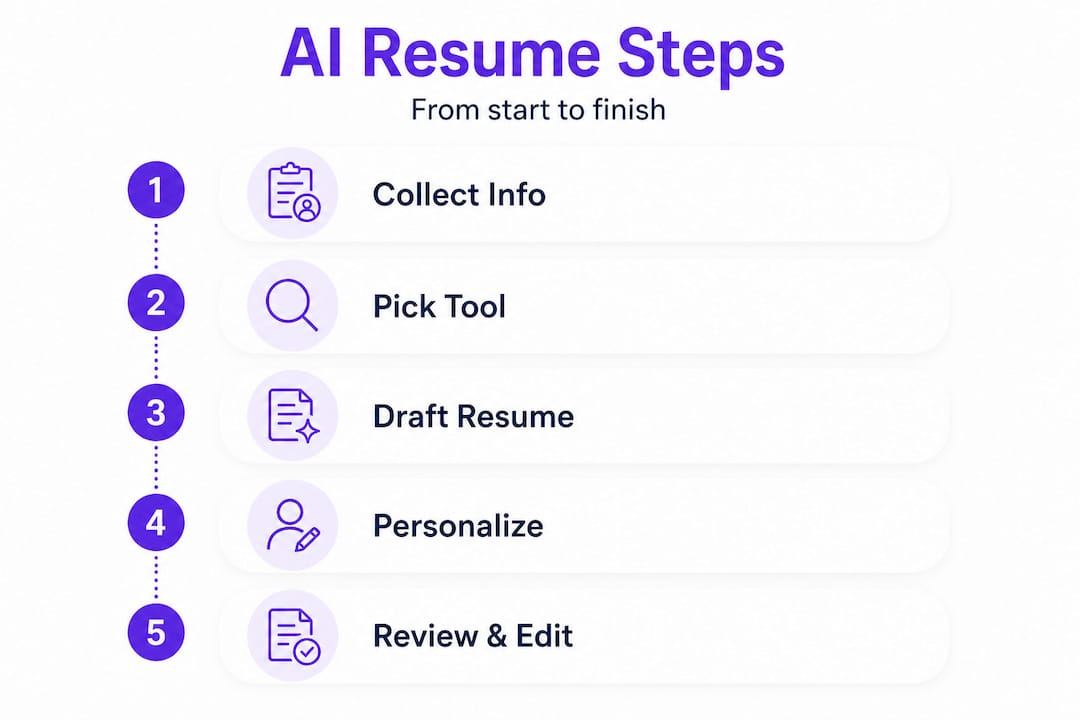
Step-by-step process for AI-assisted resume writing:
-
Choose your AI resume tool. Select a platform with built-in ATS optimization and keyword matching. The AI resume features on EasyCV.ai include job description analysis, tailored bullet point suggestions, and multiple export formats.
-
Paste in your current resume. Upload your existing document so the AI has context about your background. Without this foundation, suggestions will be generic and disconnected from your real experience.
-
Input the target job description. Copy the full job posting text into the platform. This allows the AI to identify exact keywords, preferred phrases, and required qualifications the employer has listed.
-
Review AI-generated suggestions. Don’t accept everything. Go line by line and evaluate whether each suggested change accurately reflects your experience. Look specifically for stronger action verbs and metric-based phrasing.
-
Rewrite bullets using PAR statements. PAR stands for Project-Action-Result. MIT’s career development resources recommend editing bullets for PAR format and using reflective questions rather than letting AI generate all content. For example: “Led cross-functional team of eight to redesign onboarding process, reducing new hire ramp time by 30%.”
-
Run an ATS compatibility check. Paste your revised resume into an ATS simulator or use built-in platform tools to confirm that keywords are present and formatting is clean.
-
Proofread the final version. Read for voice, accuracy, and clarity. Then read it again.
The advantages of AI in recruiting are well-documented on the employer side, which means candidates who understand how AI recruiting systems work gain a concrete advantage.
| Resume editing step | Key action | Common error to avoid |
|---|---|---|
| Input job description | Match language to posting | Using outdated or generic keywords |
| Review AI suggestions | Check each bullet for accuracy | Accepting hallucinated metrics |
| Apply PAR structure | Add specific results | Leaving vague outcome statements |
| ATS compatibility check | Verify keyword density | Over-stuffing keywords unnaturally |
| Final proofread | Read aloud for voice | Submitting raw AI output unedited |
Warning: Never submit a resume that comes directly from an AI tool without thorough editing. Unedited AI text and generic output are among the most damaging mistakes job seekers make in 2026. Recruiters are increasingly trained to spot AI-generated language, and submitting it unedited signals a lack of care and authenticity.
When you provide AI with vague prompts like “make my resume better,” you get vague results. Instead, try: “Rewrite this bullet point using a strong action verb, a specific project, and a quantifiable outcome in 20 words or fewer.” That level of specificity produces genuinely useful output.
Avoiding common AI resume mistakes
After learning how to use AI well, it’s just as important to understand what NOT to do when letting algorithms help sharpen your resume.
AI tools are powerful, but they introduce a new set of pitfalls that didn’t exist when resumes were written entirely by hand. Knowing these traps in advance is how you stay ahead of the 70% of job seekers who are making them right now.
The most common AI resume mistakes include:
-
Generic prompts producing generic output. If you don’t give AI specific details, it fills in blanks with vague, forgettable language. “Responsible for managing projects” is the type of line that gets ignored instantly.
-
Keyword stuffing. Loading a resume with every keyword from a job posting makes the document feel unnatural and can actually hurt your score with newer ATS systems that check for contextual relevance, not just frequency.
-
AI hallucinations introducing false data. AI tools sometimes fabricate metrics or job titles that sound plausible but are completely inaccurate. Always verify every number and claim in your final resume.
-
Complex formatting that breaks ATS parsing. Tables, text boxes, graphics, columns, and headers embedded in images all confuse ATS software. Stick to plain text with clear section labels.
-
Over-optimization that harms readability. Research from Business Insider highlights that over-optimized resumes with unnatural keyword density are more likely to be flagged or ignored by both systems and recruiters.
The fix for all of these is the same: treat AI output as a rough draft, not a finished product. Every edit you make adds authenticity. Every fact you verify adds credibility. The AI resume builder at EasyCV.ai is designed to minimize these risks through built-in quality checks, but your judgment remains the final filter. Explore the CV features for job seekers to see how the platform guides you through each step with guardrails.
Callout stat: Over-optimized resumes stuffed with unnatural keyword repetition are flagged by experienced recruiters as a red flag, reducing your chance of a callback even when your qualifications are strong.
Pro Tip: After completing all AI edits, read your resume out loud from start to finish. If any sentence sounds like it was written by a robot or doesn’t sound like something you would actually say, rewrite it in your own voice before submitting.
When human judgment matters: advanced use cases for AI resumes
Now that you know common AI mistakes, let’s explore situations where human judgment should always shape the final resume.
AI works extremely well for straightforward job applications in competitive but well-defined fields like marketing, software development, project management, and sales. But not every resume fits that mold. For senior leaders, career changers, and professionals in regulated industries, AI is best used as a supporting tool rather than the primary writer.
Here’s where human input becomes non-negotiable:
-
Senior and executive roles. At the director level and above, hiring managers aren’t scanning for keyword density. They’re looking for vision, leadership narrative, and evidence of strategic impact. AI can help clean up language, but the story of how you built a team, navigated a crisis, or drove a company transformation requires your voice.
-
Career changers. If you’re moving from teaching to instructional design, or from military service to operations management, you need to frame transferable skills in a way that makes sense for a new audience. MIT’s career guidance recommends a hybrid approach for career changers, using AI to identify overlapping skill language while personally crafting the narrative that explains the transition.
-
Regulated fields. Healthcare, law, finance, and government roles often have strict language requirements around credentials and responsibilities. AI may generate inaccurate or non-compliant phrasing. In these cases, always have a human familiar with the field review the final document.
-
Niche technical roles. Highly specialized engineering, research, or scientific positions require precise terminology. AI can miss nuance that signals your depth of expertise to a hiring manager who knows the field deeply.
The hybrid resume approaches available through EasyCV.ai let you combine AI-generated content with manual editing, giving you the best of both methods. AI support for career transition is an emerging area where tools are getting better at helping candidates reframe skills for new industries.
| Role type | Recommended approach | Primary reason |
|---|---|---|
| Entry to mid-level | AI-led with light editing | High volume, keyword-driven screening |
| Career changer | Hybrid (AI + personal narrative) | Transferable skills need framing |
| Senior executive | Human-led with AI editing | Storytelling and voice are critical |
| Regulated industries | Human-led with expert review | Compliance and precision required |
| Niche technical roles | Hybrid with deep manual review | Technical accuracy is non-negotiable |
Pro Tip: Use AI to brainstorm bullet point options and surface keywords you may have overlooked. Then replace the generic versions with specific, personal examples that only you could have written. That combination consistently outperforms either approach used alone.
The uncomfortable truth about AI-driven resumes
Most articles about AI and resumes treat the technology as the answer to every problem. The actual experience of job seekers and the research behind it tells a more complicated story.
The hard truth is that AI-generated resumes have created a new kind of sameness. When everyone uses the same tools with the same prompts, the output starts to look identical. Recruiters at major companies have said in industry interviews that they can now identify AI-written resumes almost immediately, not because of errors, but because of a flat, polished uniformity that removes all traces of personality. That’s the opposite of standing out.
The hybrid approach clearly outperforms pure AI generation, and the reason is simple: recruiters are looking for a person, not a document. When you let AI maintain your voice through carefully constructed prompts and then edit the output to reflect your actual experience, you get the efficiency of automation without losing what makes you memorable.
“Use AI as your editor and reflector, not your author. The goal is to sharpen what’s already true, not generate what sounds impressive.”
Our advice is to flip the mental model entirely. Instead of asking AI to write your resume, ask it to challenge your resume. Prompt it to find weak verbs, missing metrics, and gaps in logic. Then you do the writing. That process builds a document that is simultaneously optimized for systems and authentic to your story. When you treat AI as an assistant rather than the person doing the work, you produce something that no one else can replicate because it’s actually yours.
Ready to transform your resume with AI?
If you’re ready to apply what you’ve learned and save time, here’s how to start building with the right AI tools.
EasyCV.ai puts everything you need in one place, from AI-powered content optimization to ATS-safe formatting and keyword matching across millions of real job listings.
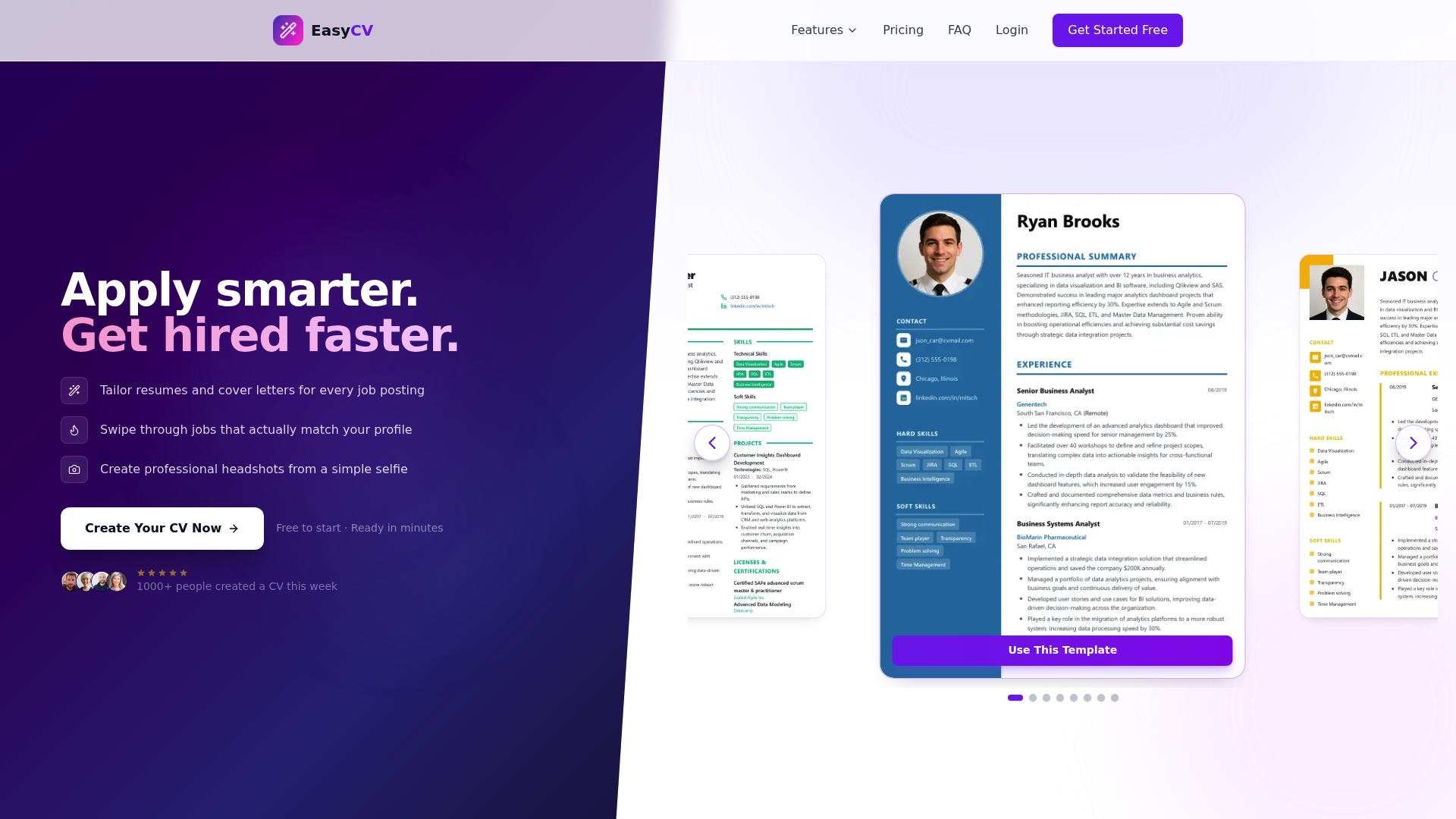
Explore the full suite of AI-powered resume features designed for every stage of the job search, whether you’re updating an existing resume or starting from scratch. Review transparent pricing to find the plan that fits your needs, including a free option to get started immediately. The Easy CV platform gives you professional-grade tools without the professional-grade complexity, so you spend less time formatting and more time landing interviews.
Frequently asked questions
Can AI write my entire resume for me?
AI can generate strong content, but editing for authenticity and accuracy is essential. Research confirms that using AI as an editor rather than the primary author produces better results than fully automated output.
Is it safe to use AI-generated resumes with ATS systems?
Yes, as long as you keep formatting simple and text-based. ATS-safe structure and fonts are one of the four core areas where AI adds real value, but graphics and tables should always be avoided.
What is the most common mistake in AI resume writing?
Submitting unedited, generic AI text without personalizing it. Unedited AI output is one of the most cited reasons candidates lose credibility with recruiters, so always review before sending.
Should career changers use AI for their resumes?
Yes, a hybrid approach works well for career changers. A hybrid method for transferable skills helps bridge language gaps between industries while keeping your personal narrative intact.
How do I keep my resume authentic when using AI?
Edit every AI suggestion manually, inject specific personal examples, and verify all data points. Using system prompts to maintain voice and asking reflective questions rather than generating all content keeps the final document genuinely yours.