What Is a Digital CV? Your 2026 Job Search Guide
A digital CV is an electronic professional profile designed for online sharing, available in formats ranging from a simple PDF to a fully interactive personal website. Unlike a paper resume, a digital CV can include embedded videos, clickable portfolio links, and real-time updates. Recruiters access it instantly via a URL or QR code, on any device, at any time. Platforms like Canva, Easy-cv, and personal portfolio sites have made building one faster than ever. If you are a job seeker in 2026, understanding the digital CV is no longer optional.
What is a digital CV and what types exist?
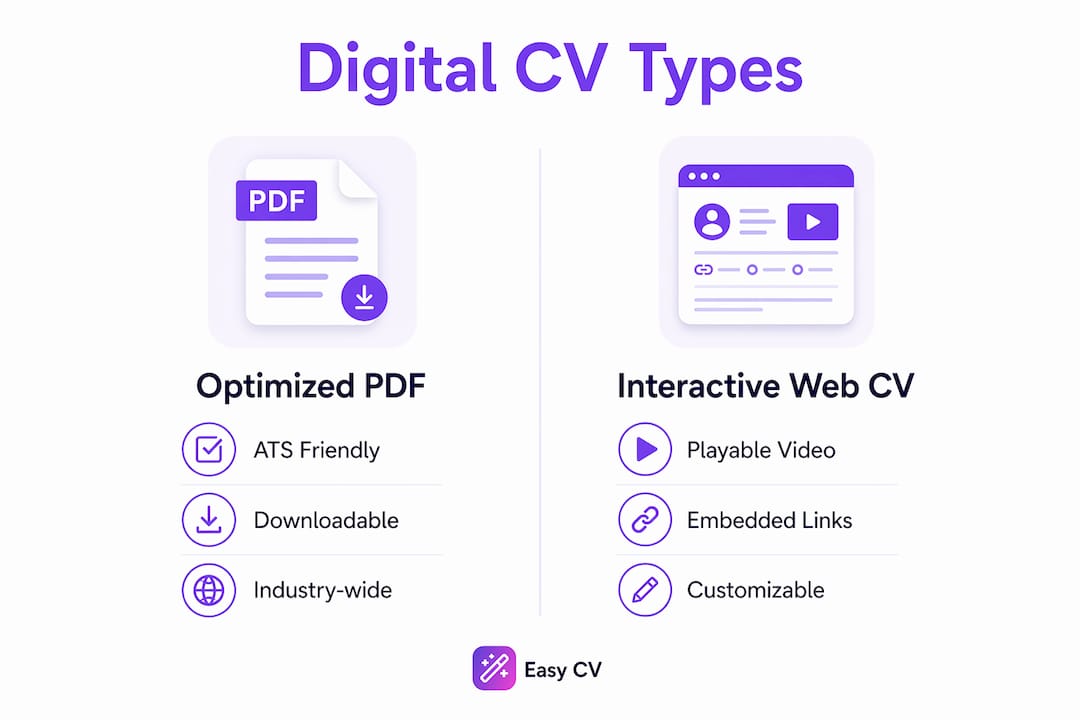
A digital CV is any non-paper, electronic version of your professional profile built for online access and sharing. The industry also calls this a digital resume or virtual CV, and the terms are used interchangeably across hiring markets. Digital CVs range from optimized PDFs to interactive web pages with multimedia and clickable proof of work. That range matters because the right format depends entirely on your industry and goal.

The three main types break down clearly:
Optimized PDF: A clean, downloadable file formatted for applicant tracking systems (ATS). This is the most common digital CV format and the one most hiring portals accept. It looks professional on screen and prints cleanly if needed.
Interactive web CV: A personal webpage hosting your full professional profile. It can include a video introduction, embedded project samples, testimonials, and links to published work. Web CVs work especially well for designers, developers, marketers, and consultants.
Online portfolio page: A hybrid between a personal website and a resume. Platforms like Behance or a self-hosted WordPress site let creatives display work samples alongside career history.
| Type | Best for | Key advantage | Limitation |
|---|---|---|---|
| Optimized PDF | All industries, ATS submissions | ATS-friendly, universally accepted | No interactivity |
| Interactive web CV | Creative and tech roles | Multimedia, real-time updates | Requires a link to share |
| Online portfolio page | Designers, writers, developers | Showcases actual work | More time to build |
What benefits do digital CVs offer over paper resumes?
A digital CV gives you capabilities that a paper resume physically cannot match. Digital formats allow instant sharing via a single URL or QR code, eliminating attachment issues and making your profile available on all devices around the clock. That means a recruiter in London can review your profile at 11 p.m. without you sending a single email.
The core benefits of a digital CV include:
- Real-time updates. Change a job title, add a certification, or rewrite your summary and every person with your link sees the updated version immediately. No reprinting, no re-sending.
- Interactivity. Multimedia components provide context that a black-and-white resume cannot. A 90-second video introduction or a linked case study tells a story that bullet points cannot.
- Analytics. Modern digital CV platforms let you track profile views, engagement time, and link clicks. That data tells you which sections recruiters read and which they skip.
- Personal branding. A web CV with a consistent color scheme, professional headshot, and curated project samples builds a recognizable professional identity.
- Speed. Professionals can tailor digital profiles in minutes instead of hours reformatting documents, enabling higher quality applications across more roles.
Pro Tip: Set up a Google Alert for your own name after publishing a web CV. It tells you when your profile gets indexed or mentioned, which confirms your digital presence is working.
The analytics capability is the most underused benefit. Knowing that a recruiter spent four minutes on your projects section but skipped your education tells you exactly what to lead with in your cover letter.
How does a digital CV differ from a traditional resume?
A traditional resume is a static document, typically a Word file or PDF, built primarily for ATS scanning. It relies on plain text, standard headings, and reverse-chronological order. 90% of recruiters prefer resumes that are easy to scan with quantifiable results, such as “increased sales by 15%.” That preference shaped the traditional resume format for decades.
The digital CV serves a different audience: human beings. Where the traditional resume speaks to software, the digital CV speaks to the hiring manager who clicks your LinkedIn profile, visits your portfolio, or scans your QR code at a networking event.
| Feature | Traditional resume | Digital CV |
|---|---|---|
| Format | Static PDF or Word file | PDF, web page, or interactive site |
| Shareability | Email attachment | URL or QR code |
| Updates | Requires resending | Updates live for all viewers |
| Multimedia | None | Video, links, portfolio embeds |
| ATS compatibility | High | Varies by format |
| Analytics | None | Views, clicks, engagement time |
The critical insight is that digital CVs complement but do not replace ATS-friendly PDFs. Your digital CV acts as a personal landing page for networking and employer engagement. Your ATS PDF gets you through the software gate. You need both.
Pro Tip: Add a QR code to your PDF resume that links directly to your web CV or portfolio. A recruiter printing your resume at a hiring fair can scan it and see your full digital profile in seconds.
Candidates who treat these two formats as a team, rather than alternatives, consistently get further in hiring processes. The PDF opens the door. The digital CV closes the deal.
How to create an effective digital CV
Building a digital CV that actually works takes more than copying your resume into a new format. Follow these steps to build one that stands out.
-
Choose your format first. If you are applying to corporate roles through job portals, prioritize an ATS-optimized PDF. If you are in a creative or client-facing field, build a web CV using a platform like Easy-cv or Canva. Your industry determines your starting point.
-
Structure your content clearly. Lead with a personal profile statement of three to four sentences. Follow with core skills, work history in reverse-chronological order, education, and certifications. Keep each section scannable with short paragraphs and bullet points for achievements.
-
Add multimedia strategically. A video introduction works well for sales, consulting, or client-facing roles. Portfolio links belong in the projects section, not scattered throughout. Every multimedia element should serve a purpose. If it does not add context, remove it.
-
Optimize for mobile. Professionals who succeed check mobile view rendering to confirm consistency and accessibility. Open your digital CV on your phone before sharing it. If text overlaps or images break, fix it before a recruiter sees it.
-
Keep your PDF version ATS-ready. Use standard fonts like Arial or Calibri. Avoid tables, text boxes, and graphics in the PDF version. Include job-specific keywords from each posting and quantify every achievement you can. Follow current CV formatting standards to stay aligned with what ATS software expects in 2026.
-
Secure a clean URL. If you build a web CV, get a personalized domain or at minimum a clean subdomain. “yourname.com” reads far better than a platform-generated string of characters.
-
Update it regularly. Set a calendar reminder every 60 days to review your digital CV. Add new projects, refresh your skills section, and update your profile photo annually.
Pro Tip: Tailor your personal profile statement for each major application. On a web CV, you can swap this section in minutes. That small change makes your profile feel purpose-built for each role.
What are common mistakes that hurt digital CV impact?
Most digital CV mistakes are avoidable once you know what to look for. The most damaging errors fall into a predictable pattern.
- Skipping the ATS PDF. A web CV alone will not get you through most corporate hiring portals. Candidates must maintain a text-based PDF for automated hiring systems alongside their interactive profile. Skipping the PDF version costs you interviews before a human ever sees your name.
- Ignoring mobile formatting. A web CV that looks perfect on a desktop can break completely on a phone. Test every page on at least two different screen sizes before sharing.
- Neglecting analytics. Digital CV platforms offer analytics on views, engagement time, and link clicks. Ignoring this data means missing direct feedback on what is and is not working in your profile.
- Inconsistent branding. Your LinkedIn profile, web CV, and PDF resume should use the same job title, the same professional photo, and the same career narrative. Inconsistency signals disorganization to recruiters.
- Overloading with multimedia. A video introduction, five portfolio links, and an embedded presentation on one page creates noise. Pick the two or three strongest proof points and let them carry the page.
Getting your CV noticed by recruiters comes down to clarity and consistency, not volume. A focused digital CV with three strong proof points outperforms a cluttered one with ten mediocre ones every time.
Key Takeaways
A digital CV works best when paired with an ATS-optimized PDF, giving you full coverage across both automated systems and human reviewers.
| Point | Details |
|---|---|
| Digital CV defined | An electronic professional profile shared via URL or QR code, available in PDF, web, or portfolio formats. |
| Two formats required | Maintain an ATS-friendly PDF and an interactive digital CV to cover both software and human reviewers. |
| Real-time updates win | Digital CVs update live for all viewers, removing the need to resend documents after every change. |
| Analytics drive improvement | Track recruiter engagement on your digital CV to learn which sections attract attention and which to fix. |
| Mobile testing is non-negotiable | Always check your digital CV on a phone before sharing it to prevent formatting errors that cost you interviews. |
Why I think most job seekers are using digital CVs wrong
Most professionals I have seen treat the digital CV as a fancier version of their paper resume. They copy the same bullet points, use the same structure, and wonder why it does not perform better. That misses the point entirely.
A digital CV is not a document. It is a professional landing page. The best ones I have reviewed read like a curated argument for why this specific person is the right hire. They lead with a strong personal statement, back it up with two or three concrete proof points, and make it effortless for a recruiter to take the next step.
The shift I keep seeing in 2026 is candidates using CV optimization strategies to tailor their digital profiles for specific roles, not just industries. That level of specificity is what separates candidates who get callbacks from those who get silence. A generic digital CV is still generic, no matter how interactive it looks.
My honest advice: build the ATS PDF first, get it right, then build your digital CV as the human-facing version of that same story. Keep both updated. Use the analytics your platform provides. Treat your digital CV as a living document that gets better every month, not a project you finish once and forget.
— Andras
Build your digital CV faster with Easy-cv
Creating a strong digital CV from scratch takes time. Easy-cv cuts that time significantly by combining an AI writing assistant, a library of ATS-friendly templates, and a built-in job tracker in one platform.
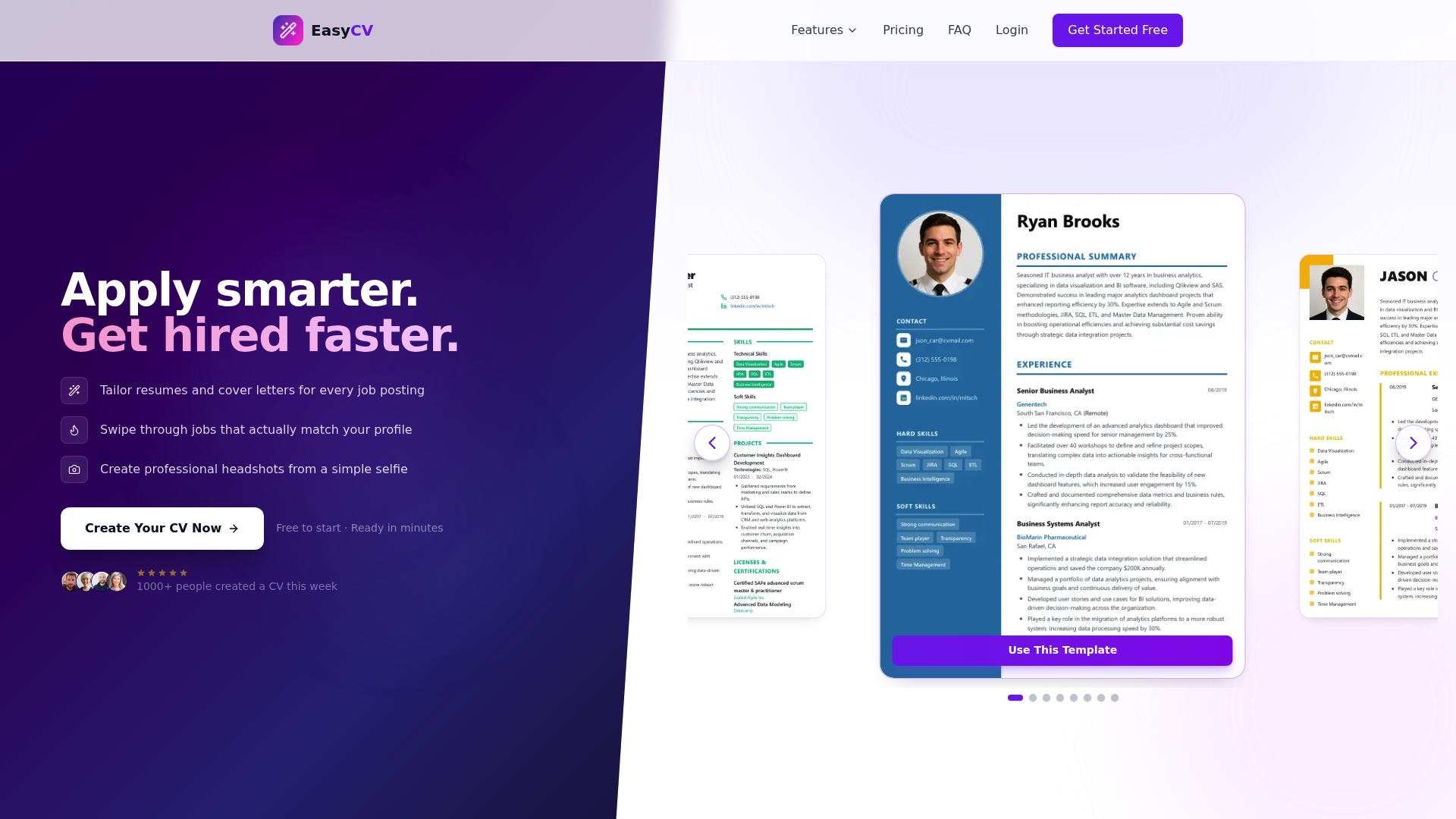
The AI writing assistant generates and refines professional CV content tailored to each role you apply for. The template library covers clean, modern designs that work across industries and pass ATS screening. Easy-cv also supports CV creation in 30+ languages, making it a practical tool for professionals targeting international markets. Whether you are building your first digital CV or refreshing an existing one, Easy-cv’s AI CV builder gives you the tools to produce a polished, targeted application without spending hours on formatting. Explore the full platform features to see what fits your job search.
FAQ
What is a digital CV in simple terms?
A digital CV is an electronic version of your professional profile that you share online via a URL or QR code. It can be a PDF, a personal website, or an interactive web page with multimedia.
Is a digital CV the same as a digital resume?
Yes. The terms digital CV and digital resume refer to the same concept: an electronic professional profile designed for online sharing. CV is more common in Europe and Australia, while resume is standard in the United States.
Do I still need a traditional resume if I have a digital CV?
Yes. Most corporate hiring portals use ATS software that requires a plain-text PDF. Your digital CV handles human engagement and networking, while your ATS-optimized PDF handles automated screening.
How do I share a digital CV with recruiters?
Share it via a direct URL in your email signature, LinkedIn profile, or cover letter. You can also add a QR code to your printed or PDF resume that links directly to your digital CV.
What tools can I use to create a digital CV?
Canva, Easy-cv, and personal website builders like WordPress or Squarespace are widely used options. Easy-cv is built specifically for job seekers and includes AI-assisted content generation and ATS-friendly templates.