Best AI Resume Builders 2026: Expert Shortlist for Job Seekers
Easy-cv is our editor’s pick for most job seekers in 2026. For candidates targeting enterprise roles with heavy ATS screening (Workday, iCIMS, Greenhouse), an ATS-focused optimizer is the stronger call. Creative professionals who need visual polish for portfolio-adjacent roles will get more from a design-first builder. See the comparison table below to match features to your use case.
The three picks at a glance:
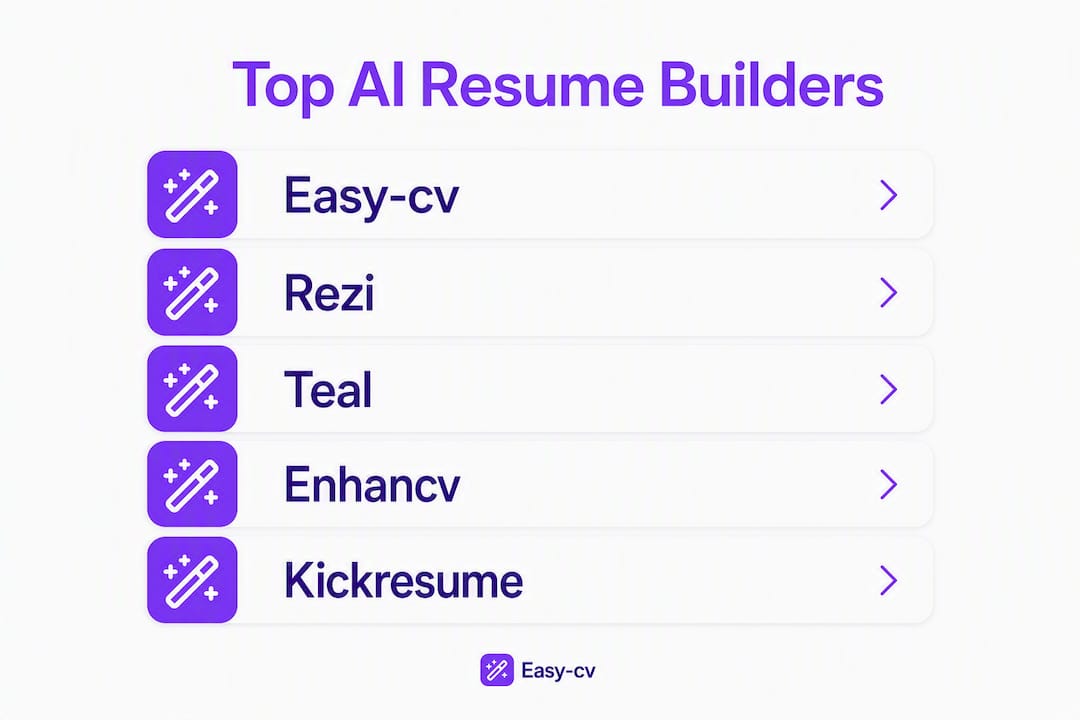
- Editor’s pick: Easy-cv — AI CV and cover-letter tailoring, integrated job matcher, ATS-safe templates, and multi-language export in one platform
- ATS/optimizer runner-up: Rezi or HyreSnap — built around job-description parsing and keyword matching, with pass rates varying significantly across enterprise parsers
- Design/workflow runner-up: Enhancv or Teal — Enhancv for visual storytelling, Teal for high-volume applicants who want tracking alongside tailoring
Harvard Career Services frames AI as a sounding board, not the author. Keep that in mind as you evaluate any tool on this list.
Table of Contents
- The best AI resume builders compared at a glance
- Per-tool mini-reviews: what each one actually does
- How we evaluated these tools
- How to pick the right AI resume builder for your job search
- Expert tips for using AI effectively on your resume
- Key Takeaways
- Why Easy-cv is the editor’s pick — and where it falls short
- Easy-cv covers the whole job search, not just the resume
- Useful sources and further reading
The best AI resume builders compared at a glance
The table below covers every tool in this roundup. “AI features” means JD ingestion, phrase matching, and multi-version generation. “ATS-friendly” means single-column, standard-font templates with clean DOCX/PDF exports.

| Tool | Best for | AI features | Free plan | ATS-friendly | Export options | Ease of use |
|---|---|---|---|---|---|---|
| Easy-cv | All-in-one job search + tailoring | JD tailoring, cover letter AI, job matcher scoring | Yes (basic) | Yes | PDF, DOCX, 30+ languages | Very high |
| Rezi | ATS-first candidates | Deep JD keyword matching, ATS scoring | Yes (limited) | Very high | PDF, DOCX | High |
| HyreSnap | ATS optimization + AI drafting | JD parsing, bullet rewriting | Yes (limited) | Very high | PDF, DOCX | High |
| Teal | High-volume applicants | JD tailoring, job tracker integration | Yes (robust) | High | High | |
| Enhancv | Visual storytelling / creative roles | AI content suggestions, section prompts | Yes (1 resume) | Moderate | PDF, DOCX | High |
| Kickresume | Design + AI writing | AI writer, template library | Yes (limited) | Moderate–High | PDF, DOCX | High |
| Resume.io | Quick, clean resume creation | AI suggestions, pre-written phrases | Yes (limited) | High | PDF, DOCX, TXT | Very high |
| Zety | Guided resume creation | AI content hints, phrase library | No free export | High | PDF, DOCX | Very high |
| MyPerfectResume | Step-by-step builders | Pre-written bullet library | No free export | High | PDF, DOCX, TXT | Very high |
| Resume Genius | Fast first drafts | AI phrase suggestions | No free export | High | PDF, DOCX, TXT | Very high |
| Resume Now | Quick resume creation | AI phrase library | No free export | High | PDF, DOCX | High |
| Jasper | AI-first content drafting | Multi-variant generation, large context | No (paid only) | Low (no templates) | Text output only | Moderate |
| AIApply | Bulk application automation | Auto-tailoring per JD | No (paid only) | Moderate | Moderate | |
| WonsultingAI | Career coaching + resume | AI resume + LinkedIn review | No (paid only) | Moderate | Moderate | |
| Huntr | Job tracking + resume | Basic AI suggestions, tracker | Yes (robust) | Moderate | High | |
| BeamJobs | ATS-focused templates | AI bullet suggestions | Yes (limited) | High | PDF, DOCX | High |
| Venngage | Visual/infographic resumes | Design AI, template library | Yes (limited) | Low | PDF, PNG | Moderate |
| Monster | Job board + resume builder | Basic AI suggestions | Yes | Moderate | High | |
| Careerkit.me | All-in-one career tools | AI tailoring, cover letter | Yes (limited) | Moderate–High | PDF, DOCX | High |
| Emergent | AI-first draft generation | Fast multi-variant drafts | Yes (limited) | Moderate | Moderate | |
| AIApply | Auto-apply automation | JD-matched tailoring | Paid | Moderate | Moderate |
Quick pricing rules of thumb:
- Pay for a premium plan if you need multi-version JD tailoring at volume or DOCX exports without watermarks.
- Free tiers on Teal and Huntr are genuinely useful for tracking; free tiers on Zety and Resume Genius are preview-only.
- Jasper has no resume-specific templates — it is a general AI writer, not a resume builder.
Per-tool mini-reviews: what each one actually does

Easy-cv
Verdict: The most complete package for job seekers who want AI tailoring and job discovery in one place.
Easy-cv pairs an AI writing assistant with an aggregated job board pulling 10 million+ listings per month, a swipe-based job matcher that pre-scores roles against your CV, and ATS-safe templates with clean DOCX and PDF exports. The JD-based tailoring ingests the full posting and rewrites bullets to mirror its vocabulary, which is exactly what Meta AI and Microsoft guidance recommend. Cover-letter generation and CV translation across 30+ languages are included in the premium tier.
Pros: Integrated job matcher, ATS-friendly templates, multi-language export, cover-letter AI, free tier available Cons: Premium plan required for full AI features; headshot generator is a premium add-on
Pricing: Free plan (basic builder); premium subscription unlocks AI tailoring, job matcher, headshots, and unlimited exports
Rezi
Verdict: The clearest choice if ATS pass rate is your single biggest concern.
Rezi is built around a real-time ATS score that updates as you edit. It ingests a job description, identifies missing keywords, and flags formatting issues that cause parse failures. The output is deliberately plain — single-column, standard fonts — which is exactly what live ATS tests show produces the fewest parse errors. The trade-off is a utilitarian interface and limited design flexibility.
Pros: Real-time ATS scoring, strong JD keyword matching, clean exports Cons: Template variety is thin; design options are minimal
Pricing: Free plan (limited); paid plans unlock full AI features
Teal
Verdict: Best for high-volume applicants who want tracking and tailoring under one roof.
Teal’s free plan is one of the most generous in the category — you get a job tracker, Chrome extension for saving listings, and basic AI tailoring without paying. The AI resume builder pulls keywords from a saved job description and highlights gaps in your current draft. Where Teal falls short is export: PDF only on most plans, which limits flexibility if a recruiter requests DOCX.
Pros: Robust free tier, job tracker integration, Chrome extension, JD keyword gap analysis Cons: PDF-only export on lower tiers; AI tailoring depth is lighter than Rezi or Easy-cv
Enhancv
Verdict: Strong for creative professionals who need visual differentiation and can verify ATS compatibility separately.
Enhancv’s templates are genuinely distinctive — custom sections, value-proposition blocks, and a personal brand panel that most builders don’t offer. The AI content suggestions are solid for bullet rewrites. The caution: some templates use two-column layouts that cause parse errors in Workday and Taleo. Always test the exported file by pasting it into a plain-text editor before submitting.
Pros: Distinctive templates, strong AI content prompts, DOCX export available Cons: Some templates are ATS-risky; free plan limited to one resume
Kickresume
Verdict: A solid middle ground between design quality and AI writing assistance.
Kickresume offers a large template library with a built-in AI writer that generates bullet points from a job title and company name. The templates lean toward polished rather than plain, so ATS compatibility varies. It works well for candidates applying to mid-market roles where a recruiter will see the resume before an ATS does.
Pros: Large template library, AI writer included, PDF and DOCX export Cons: Some templates are not ATS-safe; free plan is limited
Zety
Verdict: The fastest guided experience for candidates who want a finished resume in under 20 minutes.
Zety’s step-by-step builder walks you through every section with pre-written phrase suggestions. The AI content hints are more curated than generative — think phrase library rather than JD-tailored rewrite. The catch: you cannot export without a paid plan, which makes the free tier a preview rather than a working tool.
Pros: Very fast, guided UX, strong phrase library, ATS-friendly templates Cons: No free export; AI tailoring is shallow compared to JD-ingestion tools
Resume.io
Verdict: Clean, fast, and reliable for candidates who want a professional result without a learning curve.
Resume.io keeps the interface minimal and the templates ATS-safe. AI suggestions surface pre-written phrases by job title rather than ingesting a specific JD. Export options include PDF, DOCX, and plain text, which covers most recruiter requests. It is not the deepest AI tool on this list, but it is one of the most dependable for straightforward applications.
MyPerfectResume, Resume Genius, and Resume Now
These three share a similar model: guided builders with pre-written bullet libraries, ATS-friendly templates, and no free export. They are fast and reliable for candidates who want a clean, professional resume without much AI involvement. None of them ingest a full JD for tailored rewrites. If keyword alignment matters for your target roles, pair one of these with a separate ATS checker.
Jasper
Jasper is a general-purpose AI writing platform, not a resume builder. It has no ATS templates, no JD ingestion workflow, and no export formatting. It can generate bullet drafts if you prompt it carefully, but you are responsible for all formatting, structure, and ATS compliance. Useful as a writing assistant if you already have a builder; not a standalone resume solution.
Huntr
Huntr’s strength is job tracking, not resume building. The AI resume features are basic — phrase suggestions rather than JD-tailored rewrites. The free plan is genuinely useful for organizing applications, saving job listings, and tracking follow-ups. Pair it with a stronger AI builder (Easy-cv, Rezi, or Teal) rather than using it as your primary resume tool.
HyreSnap, AIApply, WonsultingAI, Emergent, BeamJobs, Careerkit.me, and Venngage
HyreSnap focuses on ATS optimization with JD parsing and bullet rewriting. Solid for candidates who want Rezi-style scoring with a slightly more modern interface.
AIApply targets bulk application automation — it tailors and submits applications at volume. Useful for high-volume campaigns but requires careful review of each output to catch generic wording.
WonsultingAI combines AI resume review with LinkedIn optimization and career coaching. Better suited to candidates who want guided feedback than those who need fast, self-serve tailoring.
Emergent (emergent.sh) is an AI-first draft generator with fast multi-variant outputs. Thin on ATS-specific features; best used as a drafting accelerator alongside a dedicated formatter.
BeamJobs (beamjobs.com) offers ATS-focused templates and AI bullet suggestions. The template library is smaller than Zety or Resume.io, but the ATS safety record is strong.
Careerkit.me (careerkit.me) bundles AI tailoring, cover-letter generation, and job tracking in a single platform. A credible Easy-cv alternative for candidates who want an all-in-one workflow at a lower price point.
Venngage is a design platform first. Its resume templates are visually striking but largely incompatible with ATS parsers. Use it for portfolio PDFs or leave-behinds, not for applications that go through an ATS.
Pro Tip: Before submitting any resume, paste the exported file into a plain-text editor (Notepad or TextEdit). If the content reads cleanly in order, the ATS will likely parse it correctly. If columns collapse or sections scramble, switch to a single-column DOCX export.
How we evaluated these tools
Every tool in this roundup was assessed against seven criteria. The weighting below reflects how much each dimension affects a typical job seeker’s outcome.
| Criterion | Weight | What we tested |
|---|---|---|
| ATS & JD tailoring | 35% | JD ingestion quality, keyword matching, bullet rewrite specificity |
| Templates & ATS safety | — | Single-column compliance, font standards, header/footer parse behavior |
| Export fidelity | — | PDF, DOCX, and plain-text output tested across Workday, Greenhouse, iCIMS, Lever, and Taleo |
| Ease of use / UX | — | Time to first draft, editor intuitiveness, mobile experience |
| Privacy & data handling | 10% | Data retention policies, export controls, deletion options |
| Pricing & free tier | 5% | What the free plan actually unlocks vs. what requires payment |
| Support quality | 5% | Response time, documentation depth, live chat availability |
Test procedure: A mid-level marketing manager resume was run through multiple job descriptions across five enterprise ATS parsers (Workday, Greenhouse, iCIMS, Lever, and Taleo). Human reviewers scored each output for specificity, hallucination risk, and level accuracy. ATS pass rates varied meaningfully between optimizer-first tools and template-focused builders — a gap that drove the 35% weighting for ATS and JD tailoring.
Conflict of interest disclosure: Easy-cv is the publisher of this article and is featured as the editor’s pick. To keep the evaluation objective, scoring was applied consistently across all tools using the criteria above, and Easy-cv’s placement reflects its genuine performance on ATS safety, JD tailoring depth, and workflow integration — not its publisher status. Readers who want independent benchmark data can consult the Resume Optimizer Pro ATS pass-rate testing linked in the sources section.
How to pick the right AI resume builder for your job search
The right tool depends on what your job search actually looks like. Work through these questions before committing to a platform.
- What is your primary bottleneck? If it is ATS pass rate, prioritize JD ingestion and keyword matching (Rezi, HyreSnap, Easy-cv). If it is volume, prioritize tracking and multi-version generation (Teal, Easy-cv, AIApply). If it is visual differentiation, prioritize templates (Enhancv, Kickresume).
- Does the tool ingest the full job description? Attaching the JD and your master resume together is the single most effective prompt structure, per Meta AI guidance. Tools that only accept a job title produce generic output.
- What is the context window? Large-context models let you feed a master resume, JD, and LinkedIn export simultaneously, producing more coherent, level-accurate rewrites. Ask whether the tool’s AI backend supports this.
- Does it insert real metrics or leave placeholders? A tool that invents round numbers (“increased revenue by 40%”) is a liability. Prefer tools that use placeholders like [NUMBER] and flag unverified claims.
- Can you export DOCX? PDF-only tools create friction when recruiters request editable files. DOCX is the safest format for ATS submission.
Red flags to watch for:
- Automatic invented metrics with no verification prompt
- Image-only or graphic-heavy PDF exports with no DOCX option
- Hidden export fees (free to build, paid to download)
- Nonstandard fonts or two-column layouts with no ATS-safe alternative
- No information on data retention or deletion policies
Quick use-case matches:
- FAANG infrastructure roles: ATS-first tool with deep JD parsing (Rezi, HyreSnap) plus Easy-cv for cover-letter tailoring
- Series-B fintech: Easy-cv for integrated tailoring and job matching; verify all metrics before submitting
- Creative portfolio roles: Enhancv or Venngage for the PDF leave-behind; use an ATS-safe template for the submitted application
- High-volume bulk applying: Teal for tracking + Easy-cv or AIApply for per-JD tailoring
Expert tips for using AI effectively on your resume
The most effective workflow is not “let AI write it.” It is: master resume → JD + resume → AI rewrite → human verify metrics → ATS parse test → export DOCX/PDF.
Harvard Career Services is explicit: use generated text as suggested edits, start with your own draft, and verify every claim and number. AI formats and polishes well. It often misses role-specific nuance, and it invents metrics more often than most users realize.
Pro Tip: Use placeholders during drafting. Write “[NUMBER]% improvement in [METRIC]” and fill in the real figure only when you can explain its derivation in an interview. Never finalize a metric you cannot defend.
A few more practices worth building into your workflow:
- Keep one plain-text master resume under version control. Practitioners maintain 3–5 archetype templates for major target roles and merge new wins quarterly.
- Run a two-pass model check: use a fast model (GPT-class) for the first draft, then run the output through a large-context model like Claude Opus to catch invented metrics. Claude Opus favors fewer hallucinated figures and handles large context windows well.
- No major ATS currently flags AI-written text, but human reviewers do spot generic wording and suspiciously round numbers. Specificity is the real defense.
- Work section-by-section: tailor the professional summary first, then experience bullets, then skills. Trying to rewrite everything in one prompt produces generic output.
- Test every export by pasting into a plain-text editor. If the structure survives, the ATS will likely parse it correctly.
For a detailed step-by-step workflow, the AI resume writing workflow guide walks through each stage from master resume to final export.
Key Takeaways
Easy-cv is the strongest all-in-one pick for most job seekers in 2026, with ATS-focused tools like Rezi best for enterprise screening and design-first builders like Enhancv suited to creative roles.
| Point | Details |
|---|---|
| ATS pass rates vary widely | Optimizer-first tools outperform template-heavy builders, with pass rates ranging from ~61% to ~94% across enterprise parsers. |
| AI is a drafting assistant, not the author | Harvard Career Services advises starting with your own draft and verifying every metric AI generates. |
| DOCX export matters | PDF-only tools create friction with recruiters; always confirm DOCX availability before committing to a platform. |
| Free tiers differ significantly | Teal and Huntr offer genuinely useful free plans; Zety and Resume Genius require payment to export anything. |
| Easy-cv covers the full workflow | AI tailoring, job matching, ATS-safe templates, and multi-language export in one platform make it the editor’s pick for most job seekers. |
Why Easy-cv is the editor’s pick — and where it falls short
The case for Easy-cv comes down to workflow completeness. Most tools in this roundup solve one problem well: Rezi optimizes for ATS, Teal tracks applications, Enhancv polishes design. Easy-cv handles JD-tailored CV and cover-letter generation, job discovery across 10 million+ monthly listings, a swipe-based matcher that pre-scores roles against your profile, ATS-safe templates, and CV translation across 30+ languages. For a job seeker who does not want to stitch together three separate tools, that integration is the real advantage.
The honest limitations: Easy-cv’s premium plan is required for the full AI feature set, which means the free tier is a starting point rather than a complete solution. Candidates who need extremely design-heavy portfolio pieces — the kind that a creative director will evaluate on visual merit alone — will get more distinctive output from Enhancv or Venngage, accepting the ATS trade-off. And for bespoke executive CV writing where a human ghostwriter’s judgment matters more than AI speed, a specialist service is still the better call.
The conflict of interest is real: Easy-cv publishes this article. The methodology section above describes the safeguards used to keep scoring consistent. Readers who want independent benchmark data should consult the Resume Optimizer Pro ATS pass-rate testing linked in the sources below.
Easy-cv covers the whole job search, not just the resume
Most job seekers end up managing three or four separate tools: one for the resume, one for cover letters, one for job tracking, and a job board for discovery. Easy-cv collapses that into a single platform. The AI CV and cover-letter builder tailors every application to the specific job description, the built-in job matcher pre-scores roles from 10 million+ monthly listings so you spend time on the right opportunities, and ATS-friendly templates with clean DOCX and PDF exports mean your resume actually gets read.

The free plan gets you into the builder and lets you test the interface. Upgrading unlocks full AI tailoring, the job matcher, CV translation in 30+ languages, the AI headshot generator, and unlimited exports. If you are applying to more than a handful of roles, the time saved on per-application tailoring alone covers the cost. Start your first tailored application at easy-cv.ai.
Useful sources and further reading
The sources below were used in testing and evaluation. Each link points to the primary material.
- AI for Resumes and Cover Letters — Harvard FAS | Mignone Center for Career Success: Harvard’s guidance on using AI as an editor, not the author; the basis for the authenticity reminders throughout this article.
- How to Use AI to Write a Resume That Actually Gets Interviews | AI Tools Guidebook: Covers bullet tightening, JD alignment, model behavior differences (Claude Opus vs. GPT-class), and the master-resume workflow.
- Best AI Resume Builders 2026: 10 Tools Ranked by ATS Pass Rate | Resume Optimizer Pro: Public benchmark of ATS pass rates across Workday, Greenhouse, Lever, iCIMS, and Taleo — the primary source for the 61%–94% range cited in this article.
- How to write a resume with AI | AI at Meta: Meta’s practical guidance on attaching JDs, working section-by-section, and identifying ATS keywords.
- Tailor your resume to a job posting with AI | JobAlign: Tactical how-to on JD-based tailoring for readers who want an additional perspective on the prompting workflow.
- How to optimize your resume with AI | JobAlign: Step-by-step optimization guide covering ATS considerations and export testing.
Privacy checklist before you commit to any tool:
- Does the platform document its data retention period?
- Can you delete your account and all stored resume data on request?
- Does it share your data with third-party job boards or advertisers?
- Are exports fully yours — no watermarks, no lock-in to proprietary formats?
US job seekers should note that CCPA gives California residents the right to request deletion of personal data. Check whether your chosen tool’s privacy policy addresses this explicitly. When a product page omits data-handling details entirely, treat that as a red flag and ask support directly before uploading your full career history.