Impactful Headshot Examples for Professionals and Creatives
The single most important thing to get right is the expression: everything else can be fixed in post, but a flat or forced look kills the photo before anyone reads your name.
Five traits separate a headshot that works from one that doesn’t:
- Lighting: soft, directional light that models the face without harsh shadows
- Expression: genuine, not performed — engaged neutral, a real smile, or subtle authority depending on your field
- Wardrobe: one step above what you’d wear on a typical Tuesday
- Background: clean and non-competing, whether plain, textured, or environmental
- Crop: chest or shoulders up, face filling the majority of the frame
The annotated examples gallery below organizes strong portraits by style and industry, each with a short photographer brief you can copy directly.
Key Takeaways
The single most important decision in any headshot is expression: lighting and background can be adjusted, but a flat or forced look cannot be fixed in post.
| Point | Details |
|---|---|
| Expression drives impact | Choose genuine smile, engaged neutral, or subtle authority based on your industry and audience. |
| Match style to role and platform | Corporate for C-suite and press; polished casual for startups; creative/environmental for personal brand profiles. |
| Face fills 60% for LinkedIn | Use a chest-up or shoulders-up crop; adjust to a tighter frame for speaker bio thumbnails. |
| Team consistency builds trust | Standardize background color, crop, lighting, and wardrobe baseline before any team shoot. |
| Easy-cv for fast variations | Easy-cv’s AI headshot tool generates studio-quality photos from a selfie, ideal for LinkedIn refreshes and remote teams. |
Table of Contents
- What separates great headshots from forgettable ones
- Examples of impactful headshots organized by style and industry
- How to choose the right headshot style for your role and platform
- Technical choices: backgrounds, lighting, framing, and retouching
- Team and company headshots: how to keep a consistent look
- Hire a professional or go DIY? Quick tradeoffs
- A note on how Easy-cv approaches headshots
- Your headshot, done in minutes with Easy-cv
- Sources
What separates great headshots from forgettable ones
A useful checklist you can run through before a shoot or when evaluating examples:
Lighting Soft, directional light wraps the face and creates gentle shadow on one side, giving the subject dimension. Flat overhead light or harsh direct sun flattens features and creates unflattering shadows under the eyes. National Geographic’s photography fundamentals confirm that directional light and subject separation from the background are the two most reliable ways to give a portrait a three-dimensional look.
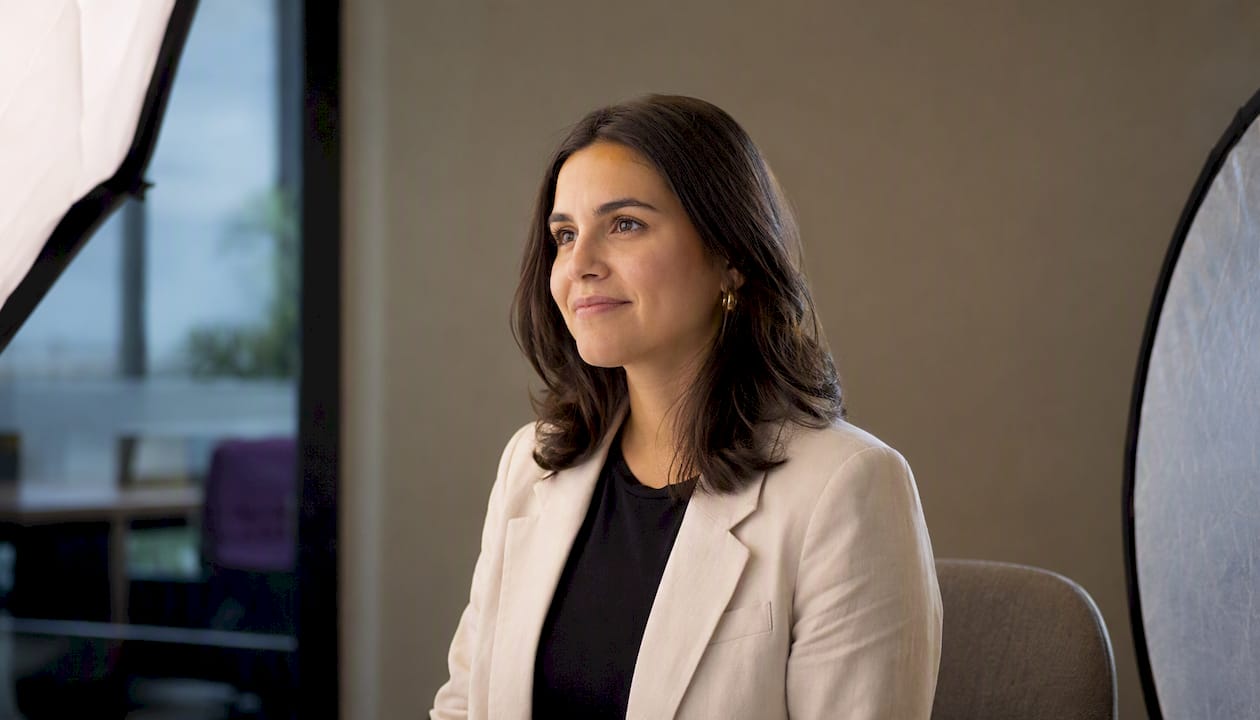
Eye sharpness The eyes must be tack-sharp. If the camera focused on the tip of the nose or the ear, the photo fails regardless of everything else.
Expression Three expressions work across most professional contexts:
- Genuine smile — approachable, best for client-facing roles, real estate, education, healthcare
- Engaged neutral — confident without being cold; suits legal, finance, executive
- Subtle authority — slight jaw set, direct gaze; works for C-suite and speaker bios
Avoid the “say cheese” grin. Ask the photographer to pause between frames and catch the reset expression — that’s usually the most natural one.
Wardrobe Solid colors read better than busy patterns on screen. Avoid pure white (blows out near the face) and pure black (merges with dark backgrounds). Navy, charcoal, burgundy, and forest green photograph well and align with color psychology principles that signal trust and competence.
Background
- Plain neutral (white, gray, navy, charcoal): clean, versatile, works on any platform
- Textured (brick, wood, concrete): adds character without distraction; suits creatives and startups
- Office blur (shallow depth of field in a real workspace): signals context without clutter
- Environmental (a meaningful location): best for creative or personal brand profiles where the setting adds narrative
Crop and framing For LinkedIn, the face should fill about 60% of the frame. For press or author photos, a slightly wider chest-up crop gives editors more flexibility. Speaker bios often use a tighter crop than a website bio.
Retouching Remove temporary distractions (a stray hair, a blemish from the shoot day). Preserve skin texture and natural features. Over-retouched headshots look like stock photos and undermine trust.
Pro Tip: Before the shoot, ask your photographer to take ten rapid-fire frames while you talk naturally about something you enjoy. Review those frames together on the camera’s LCD. You’ll find your real expression in that sequence far faster than by posing deliberately.
Examples of impactful headshots organized by style and industry
These annotated examples are organized by style bucket. Each entry includes what makes it work, wardrobe notes, the best platform use, and a one-line brief you can hand to a photographer or use as an AI headshot prompt.
1. Corporate/executive
What works: Direct gaze, slight forward lean, dark neutral background (navy or charcoal). The contrast between a well-fitted dark suit and the background creates visual weight without distraction. Expression reads as confident and composed, not stiff.
- Wardrobe: Tailored suit or blazer in navy, charcoal, or black; no tie required for modern corporate
- Background: Dark neutral — navy or charcoal flat backdrop
- Best for: LinkedIn, board bios, press releases, annual reports
- Brief: “Chest-up, dark neutral background, soft front light, direct gaze, slight forward lean, business formal attire”
2. Casual/startup founder
What works: Relaxed posture, slight smile, lighter background (off-white, light gray, or a softly blurred open-plan office). The wardrobe is polished but not stiff — a well-fitted shirt or blazer over a clean tee reads as approachable and credible at the same time.
- Wardrobe: Smart casual — fitted shirt, blazer optional, no tie
- Background: Light neutral or softly blurred workspace
- Best for: LinkedIn, company About page, investor decks
- Brief: “Shoulders-up, light neutral background, natural window light, relaxed genuine smile, smart casual attire”
3. Creative/personal brand
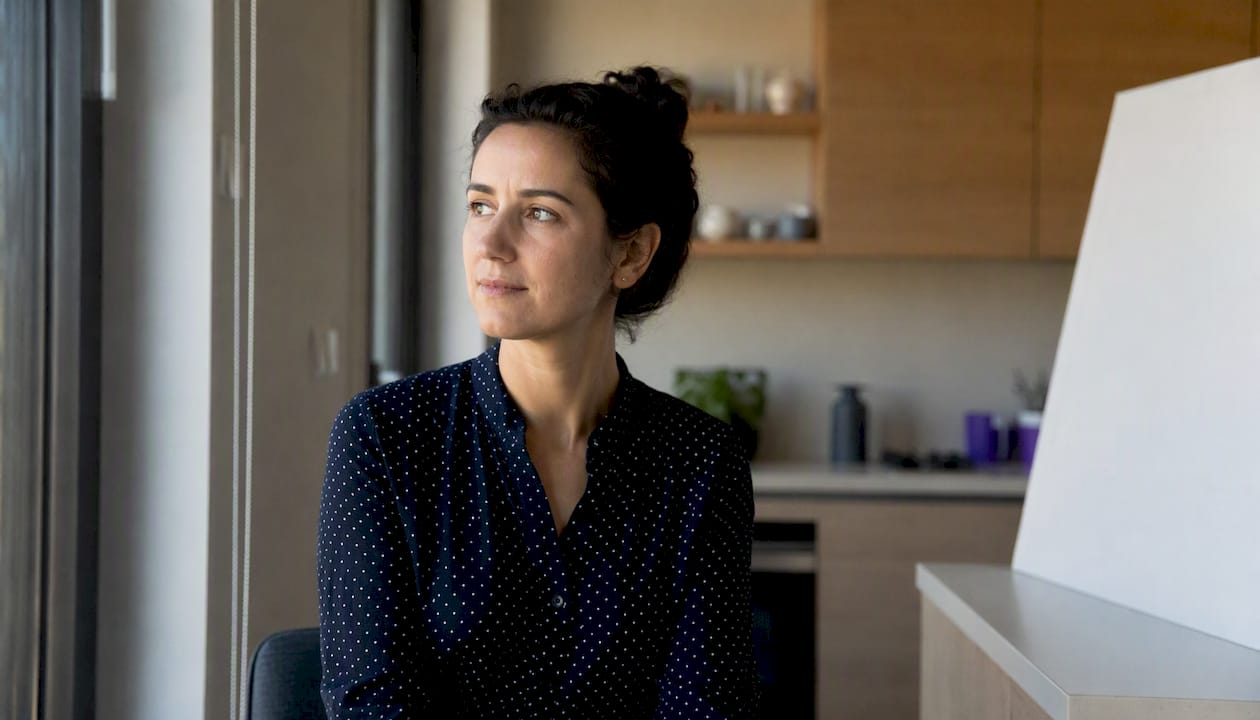
What works: The background contributes context without competing with the face. A designer photographed in front of a textured wall, a writer near bookshelves, or a photographer with equipment softly blurred behind them — these images tell a story in a single frame. PhotographyTalk’s visual storytelling principles note that environmental context increases narrative power when the background supports rather than overwhelms the subject.
- Wardrobe: Expressive but intentional — a signature color or texture that reflects personal brand
- Background: Environmental or textured; shallow depth of field keeps the face primary
- Best for: Personal website, portfolio, Instagram bio, speaker page
- Brief: “Environmental portrait, meaningful background blurred at f/2.8, directional natural light, expressive but genuine expression, wardrobe that reflects personal aesthetic”
4. Healthcare/medical
What works: Clean white or light gray background, professional attire (white coat optional depending on context), warm and approachable expression. Patients respond to warmth; a genuine smile matters more here than authority.
- Wardrobe: White coat, scrubs, or business professional depending on specialty
- Background: Clean white or light gray
- Best for: Practice website, hospital directory, health system profiles
- Brief: “Chest-up, white or light gray background, soft even lighting, warm genuine smile, professional medical attire”
5. Legal
What works: Controlled, authoritative expression — engaged neutral rather than a full smile. Dark or mid-tone neutral background. Conservative, well-fitted attire. The overall impression should be competent and trustworthy, not cold.
- Wardrobe: Dark suit, conservative tie or blouse
- Background: Dark neutral or rich wood-paneled blur (environmental)
- Best for: Firm website, Martindale-Hubbell profile, LinkedIn
- Brief: “Shoulders-up, dark neutral or wood-blur background, engaged neutral expression, business formal, soft directional lighting”
6. Real estate
What works: Warm, approachable smile with a slightly wider crop that shows more of the upper body. A blurred exterior or interior environment signals the industry without stating it. Capturely’s industry-specific examples show that real estate headshots consistently use warmer tones and more open expressions than legal or finance.
- Wardrobe: Business casual to business professional; avoid overly casual
- Background: Blurred architectural environment or clean neutral
- Best for: MLS listings, agency website, business cards, social profiles
- Brief: “Upper-body crop, warm smile, blurred architectural background, business professional attire, warm soft lighting”
7. Tech/product
What works: Clean, minimal background (white or very light gray), modern casual attire, direct but relaxed expression. Tech headshots tend toward lighter backgrounds and less formal wardrobe than finance or legal. The goal is approachable expertise.
- Wardrobe: Clean, modern casual — quality tee, button-down, or minimal blazer
- Background: White or light gray; some tech profiles use a very softly blurred open office
- Best for: LinkedIn, GitHub profile, product launch press, conference speaker page
- Brief: “Chest-up, white or light gray background, relaxed direct gaze, modern casual attire, clean soft lighting”
8. Education
What works: Warm, engaged expression — a genuine smile or a thoughtful look that signals approachability and intelligence. A classroom or library blur works well as an environmental background for faculty profiles.
- Wardrobe: Smart casual to business casual
- Background: Blurred classroom, library, or clean neutral
- Best for: University faculty page, course platform bio, conference program
- Brief: “Shoulders-up, warm engaged expression, blurred academic environment or clean neutral, smart casual attire”
9. Outdoor/natural light
What works: Open shade (not direct sun) produces soft, flattering light without harsh shadows. A natural environment — a park, an urban street, a garden — adds texture and warmth. The key is keeping the face well-lit and the background far enough away to blur naturally.
- Wardrobe: Casual to smart casual; avoid busy patterns that compete with the natural background
- Background: Natural environment in open shade
- Best for: Personal brand, lifestyle business profiles, creative portfolios
- Brief: “Open shade outdoor portrait, natural environment background at distance, genuine relaxed expression, casual to smart casual attire”
10. Actor/model
What works: Multiple expressions and crops in a single session — a neutral slate, a character expression, and a commercial smile. Clean white or gray background for theatrical submissions; environmental for commercial. The face must be the entire story; no wardrobe or background should compete.
- Wardrobe: Simple, solid colors; avoid logos or busy patterns
- Background: Clean white or gray for theatrical; environmental for commercial
- Best for: Casting submissions, agency portfolios, IMDb profile
- Brief: “Clean white or gray background, multiple expression variations, neutral slate plus commercial smile, simple solid wardrobe, sharp eyes”
How to choose the right headshot style for your role and platform
The right style depends on three things: who you’re trying to persuade, which platform gets the most views, and whether you need your photo to match a team.
| Role / Context | Recommended Style | Primary Platform |
|---|---|---|
| C-suite / board member | Corporate/executive | LinkedIn, press, annual report |
| Startup founder | Polished casual | LinkedIn, investor deck, About page |
| Creative director / designer | Creative/personal brand | Portfolio, personal website |
| Attorney / financial advisor | Legal/corporate | Firm website, LinkedIn |
| Physician / therapist | Healthcare | Practice website, directory |
| Real estate agent | Real estate (warm, environmental) | MLS, agency site, business card |
| Software engineer / PM | Tech/minimal | LinkedIn, GitHub, conference bio |
| Faculty / educator | Education (warm, environmental) | University page, course platform |
| Actor / model | Theatrical or commercial | Casting, agency portfolio |
| Speaker / author | Creative or polished casual | Speaker bio, book jacket, press kit |
Quick questions to ask before booking a shoot:
- Who sees this photo most — recruiters, clients, conference organizers, or casting directors?
- Does my industry expect formal or approachable?
- Do I need this photo to match a team page?
- How many platforms will use it, and do they need different crops?
One shoot can produce multiple crops. A chest-up frame works for LinkedIn; a tighter face crop works for a speaker bio thumbnail; a slightly wider upper-body crop works for a press kit or book jacket. Brief your photographer to capture all three framings in the same session.
For professionals thinking about how a headshot fits into their broader personal brand, resume branding principles apply directly: the photo, the CV layout, and the LinkedIn profile should all signal the same professional identity.
Technical choices: backgrounds, lighting, framing, and retouching
Backgrounds
- Solid neutral (white, gray, navy, charcoal): the safest choice for any platform; easy to match across a team
- Textured (brick, concrete, wood): adds personality; works for creatives and startups; avoid if the texture competes with the face
- Office blur (shallow depth of field in a real workspace): signals context and industry without clutter; works well for tech, real estate, and education
- Environmental (a meaningful location): highest narrative impact; use only when the setting adds genuine context
Lighting
The most reliable setup is a large soft light source positioned at roughly 45 degrees to the face and slightly above eye level. This creates a gentle shadow on one side that gives the face shape. A second, weaker fill light or a reflector on the opposite side softens that shadow without eliminating it. A rim or edge light behind the subject separates them from the background and adds depth.
Avoid flat overhead light (creates raccoon-eye shadows), harsh direct sunlight (creates blown highlights and squinting), and light positioned directly behind the camera (removes all facial modeling). National Geographic’s photography guidance describes this directional approach as the foundation of strong portrait lighting.
Framing and crop
- LinkedIn: face fills ~60% of the frame, chest or shoulders up
- Press/author photo: slightly wider, chest up, gives editors flexibility
- Speaker bio thumbnail: tighter face crop, often square
- Website hero: wider, sometimes three-quarter body, depends on layout
Retouching
Remove temporary distractions only: a blemish from shoot day, a stray hair, a lint speck on clothing. Keep skin texture, natural lines, and real features. Heavy retouching produces a photo that looks nothing like you in a video call, which erodes trust immediately.
Pro Tip: For DIY lighting, position yourself facing a large window (not in direct sunlight) and place a white foam board or a piece of white cardboard on the opposite side of your face. The window acts as your key light; the board bounces fill back onto the shadow side. This setup costs under $10 and produces results that rival a basic studio setup.
Team and company headshots: how to keep a consistent look
Inconsistent team photos are one of the most common brand trust problems on company websites. A page where one person has a white-background studio shot, another has an outdoor selfie, and a third has a blurry conference photo signals disorganization before anyone reads a word.
Scale Headshots’ team photography guidance confirms that consistent lighting and framing across a directory measurably improve perceived professionalism.
Style guide checklist for team shoots:
- Background: pick one — plain neutral color (specify the hex or Pantone value if possible) or one environmental setting
- Crop: define the frame (chest-up, shoulders-up) and stick to it across every person
- Expression: agree on a range — genuine smile, engaged neutral, or both; avoid mixing formal and casual expressions on the same page
- Wardrobe baseline: set a minimum standard (business casual, business professional) and communicate it in writing before the shoot
- Lighting setup: if using a photographer, ask them to document the setup so it can be replicated for new hires
- Retouching level: define it — natural skin, remove temporary blemishes only
Copy-ready shoot instruction for your photographer or team:
For new hires added after the original shoot, an AI headshot tool can generate a consistent-looking result quickly, provided you match the background color and crop to the original style guide.
Hire a professional or go DIY? Quick tradeoffs
The honest answer is: it depends on the stakes.
Forbes reports that despite the growth of graphic design tools and AI photo apps, the most authentic and memorable headshots still come from a professional photographer. Working with a photographer whose style you admire produces images that better reflect your personal brand.
Practical tradeoffs:
- Professional photographer: higher cost, slower turnaround, but produces the most authentic expression and brand-aligned result; best for high-stakes public-facing roles (C-suite, speaker, press, casting)
- DIY with a good camera or phone: low cost, full control over timing, but requires real effort on lighting and expression; acceptable for internal profiles or quick refreshes
- AI headshot tool: fast, low cost, consistent across a remote team; best for LinkedIn refreshes, multiple variations, or when a professional shoot isn’t practical
Decision rule: hire a professional for any role where the photo will appear in press, on a speaker stage, in a casting submission, or on a high-traffic public page. Use DIY or AI for internal directories, quick updates, or when you need multiple style variations fast.
For a deeper look at how AI headshots work and when they’re a credible alternative, this guide to AI headshots covers the technology and best practices in detail.
Strong profile photos also have a measurable impact on LinkedIn engagement, with well-optimized profiles showing substantially higher views and connection activity — a point worth weighing when deciding how much to invest in the photo.
A note on how Easy-cv approaches headshots
Headshots are high-leverage assets. A well-briefed professional shoot and a well-tuned AI headshot both have a legitimate place in a professional’s toolkit — the choice comes down to stakes, speed, and budget. For a C-suite executive preparing for a press tour, a professional photographer is the right call. For a product manager refreshing their LinkedIn or a remote team that needs consistent photos without coordinating a shoot day, an AI tool produces a credible result quickly.
Easy-cv’s AI headshot feature sits in that second category: it’s designed for fast, low-friction generation of studio-quality variations from a single selfie, with enough style control to match a team’s existing look or a personal brand direction.
Your headshot, done in minutes with Easy-cv
A professional-looking headshot doesn’t always require a studio booking. Easy-cv’s AI headshot generator turns a single selfie into a studio-quality photo — useful for a quick LinkedIn refresh, generating multiple style variations before a professional shoot, or keeping a remote team’s directory consistent without coordinating a shoot day.

Upload a selfie, choose your style (corporate, casual, creative), and download a polished result. For the highest-stakes roles — press, casting, C-suite public profiles — pair the AI output with a professional shoot. For everything else, Easy-cv gives you a credible starting point in minutes. The platform also handles your CV, cover letter, and job search in one place, so your professional image stays consistent from photo to application. Start with Easy-cv and see what a stronger headshot does for your profile.
Sources
- The LinkedIn Headshot Upgrade That Gets You Noticed (With 18 Examples) | Forbes
- Photography tips & tricks: How to take good pictures | National Geographic
- How to Tell a Story With a Single Photo - Photography Talk