How to Match Resume Keywords and Get Noticed

Resume keywords are the exact terms recruiters and hiring software use to filter candidates before a human ever reads your application. Knowing how to match resume keywords to a job description is the single most direct way to improve your chances of passing an automated screening. Applicant Tracking Systems, commonly called ATS, scan resumes for specific words before ranking them. Recruiters also run Boolean string searches in talent databases to find candidates proactively. Getting this right means the difference between a callback and silence.
How to match resume keywords from any job description
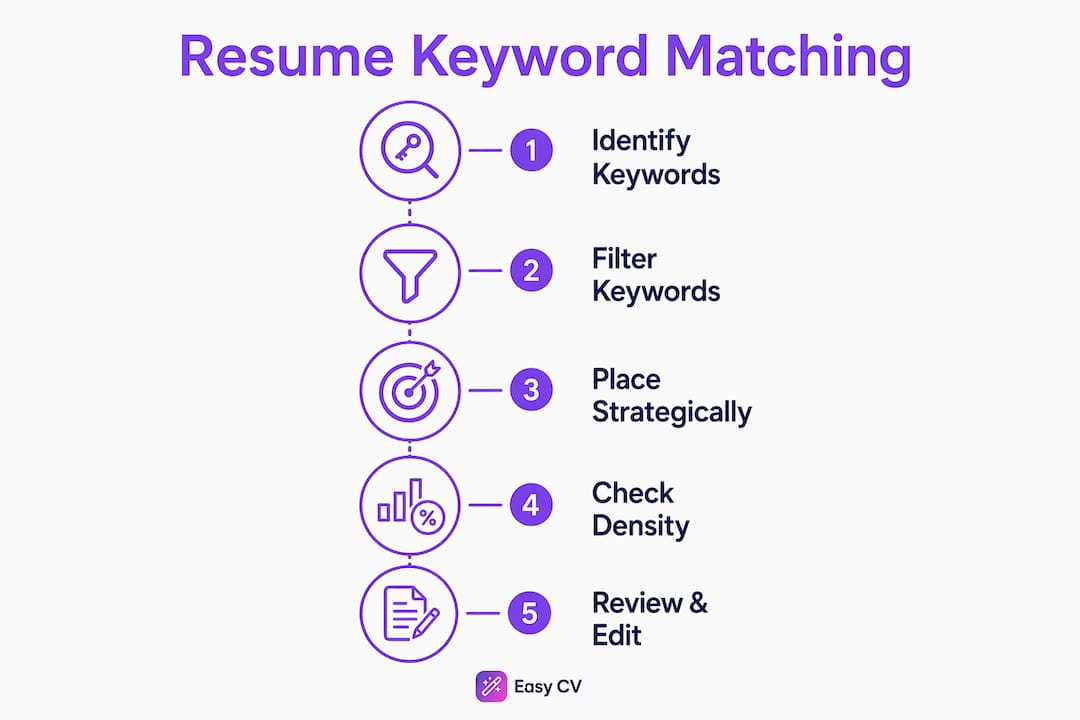
The first step is reading the job description as a data source, not a narrative. Your goal is to pull out the specific terms the employer uses, because matching exact phrasing like “customer support” instead of “customer assistance” directly improves ATS detection. Employers write job descriptions in their own language. Your resume needs to speak that same language back to them.
Effective resume keyword strategies start with categorizing what you find. Job descriptions contain several distinct types of keywords:
- Hard skills: Software, tools, technical methods (e.g., Python, Google Analytics, QuickBooks)
- Soft skills: Behavioral traits the employer names explicitly (e.g., “cross-functional collaboration,” “stakeholder communication”)
- Certifications and credentials: PMP, CPA, AWS Certified Solutions Architect
- Job titles: The exact role name and close variants used in the posting
- Action verbs: Words like “managed,” “developed,” or “led” that frame your experience
Once you have a raw list, filter it ruthlessly. Identifying 8–15 genuine keywords from the job description is the most effective current strategy. That number is not arbitrary. Fewer than eight leaves gaps that ATS will penalize. More than fifteen pushes you toward stuffing, which triggers spam filters and reads as dishonest to recruiters.
Pro Tip: Paste the job description into a word frequency tool like WordCounter to see which terms appear most often. The words that repeat two or more times are almost always the keywords the employer weights most heavily.

Never include a keyword you cannot back up in an interview. If you list “Salesforce administration” but have only used Salesforce as an end user, a hiring manager will catch it in the first five minutes of a conversation.
Where to place keywords so ATS and recruiters both notice them
Placement is as important as selection. Knowing how to choose resume keywords is only half the work. You also need to know exactly where they land on the page.
Follow this placement sequence for maximum impact:
-
Professional summary (top of resume): Write one to three sentences that mirror the job description’s core requirements. If the posting says “data-driven marketing manager,” your summary should use that phrase or a direct equivalent. This is the first section ATS reads and the first thing a recruiter’s eye lands on.
-
Skills section: List your target keywords here first, ordered by how prominently they appear in the job description. Put the most critical skills at the top left, since ATS and human readers both scan left to right and top to bottom.
-
Experience bullets (2–4 recent roles): Integrate keywords inside bullet points that include a measurable result. “Managed a team of eight engineers” is weaker than “Managed a team of eight engineers to deliver a product launch three weeks ahead of schedule.” The context proves the keyword is real.
-
Education or certifications section: If the job description names a specific certification, list it exactly as written in the posting.
Keyword redundancy across sections signals depth to ATS, improving your ranking without appearing spammy. Each target keyword should appear in your skills section plus at least one experience bullet. That two-section presence tells the system you have both the label and the evidence.
Modern ATS use semantic parsing, which means listing keywords in isolation has limited impact compared to showing them inside experience bullets with context. A skills section alone is not enough. The keyword needs to live inside a sentence that describes what you actually did.
Pro Tip: After tailoring your resume, read it aloud. If a sentence sounds like a list of buzzwords rather than a description of real work, rewrite it until it sounds like something you would say in an interview.
For job seekers in specialized fields, resources like social media manager resume examples show how professionals in competitive niches structure keyword placement across summary, skills, and experience sections.
How to keep keyword density in the right range
Keyword density is the percentage of times a specific word appears relative to the total word count of your resume. Keyword density should stay below 1.5% per keyword to avoid ATS penalties. The target range is 0.8–1.2% for balance.
Here is what that means in practice:
| Resume length | Max occurrences per keyword | Recommended occurrences |
|---|---|---|
| 350 words | 5 | 3–4 |
| 500 words | 7–8 | 4–6 |
| 550 words | 8 | 4–6 |
For a standard one-page resume of around 500 words, any single keyword appearing more than seven or eight times crosses into stuffing territory. Two to four appearances per keyword is the practical target for most job seekers.
The order of your skills section also affects ATS scoring. Most systems weight the first items in a list more heavily than later ones. Reorder your skills so the keywords that appear most frequently in the job description come first. This is a small change that takes under two minutes and measurably improves your ranking.
Understuffing is a real problem too. If a keyword appears in the job description three times but only once on your resume, the ATS may rank you lower than a candidate who surfaced it twice. The goal is not to game the system. The goal is to accurately reflect your qualifications using the employer’s own vocabulary.
Common mistakes that break keyword matching
Most resume keyword errors fall into a short list of predictable traps.
- Stuffing keywords without context: Listing “project management, project management, project management” in a skills section triggers spam filters in modern ATS. It also reads as desperate to any human reviewer.
- Using synonyms instead of exact terms: If the job description says “agile methodology,” writing “scrum framework” may not register as a match. Mirror the employer’s exact phrasing wherever possible.
- Formatting that breaks ATS parsing: Sidebar tables, icons, and complex formatting in the skills section cause ATS to misread or skip content entirely. Use a simple comma-separated list instead.
- Claiming keywords you cannot defend: Interviewers detect inflated skills quickly. A keyword that gets you an interview but falls apart in the room does more damage than no keyword at all.
- Applying one resume to every job: Tailoring your resume for each application significantly improves your chances of surfacing in recruiter searches and ATS rankings. A generic resume is a statistical disadvantage.
Pro Tip: Run your tailored resume through a free ATS checker before submitting. Many tools will flag formatting issues and show you which keywords are missing or overused. Fix those issues before the application goes out, not after.
For a broader look at resume keyword strategy and how it connects to your overall application quality, the guide on resume keyword success covers the mechanics in depth. You can also find practical formatting and content advice in this 2026 CV optimization guide.
Key Takeaways
Matching resume keywords effectively requires selecting 8–15 genuine terms from the job description, placing them across multiple sections, and keeping each keyword’s density between 0.8–1.2% to satisfy ATS without triggering penalties.
| Point | Details |
|---|---|
| Select 8–15 real keywords | Pull terms you can honestly defend from the job description, covering hard skills, soft skills, and certifications. |
| Mirror exact employer phrasing | Use the job description’s exact wording, not synonyms, to maximize ATS detection and recruiter recognition. |
| Place keywords in two or more sections | Each keyword should appear in your skills section and at least one experience bullet to signal depth. |
| Keep density at 0.8–1.2% | For a 500-word resume, aim for 4–6 occurrences of each target keyword and never exceed 7–8. |
| Avoid formatting that breaks ATS | Use simple comma-separated skill lists and avoid tables, icons, or sidebars that cause parsing errors. |
Keywords are a filter, not a finish line
I have reviewed hundreds of resumes over the years, and the ones that consistently fail share a common flaw. They treat keyword matching as the entire strategy rather than the first step. Keywords secure the initial recruiter glance, but a resume must demonstrate fit through outcomes and narrative to hold it.
The resumes that actually get callbacks do something different. They use keywords as anchors for real stories. “Led cross-functional collaboration” is a keyword phrase. “Led cross-functional collaboration between engineering and marketing to ship a product update that reduced churn by 12%” is a keyword phrase doing real work. The keyword gets you past the filter. The number and the context get you the interview.
I have also seen job seekers panic-stuff resumes after learning about ATS, and it backfires every time. Keywords without evidence lead to recruiter skepticism and ATS penalties. The ethical approach is also the effective one. Use the employer’s language to describe things you genuinely did. That alignment between honest experience and precise vocabulary is what a strong resume actually looks like.
My honest advice: spend 15 minutes per application reading the job description carefully, pull your 10 best matching keywords, and rewrite three to five bullets to include them with measurable context. That 15 minutes will outperform any generic resume you send to 50 jobs.
— Andras
Easy-cv makes keyword matching faster and more accurate
Tailoring a resume for every application takes time. Easy-cv cuts that time significantly by bringing keyword extraction, ATS compatibility checking, and resume editing into one place.

Easy-cv’s AI writing assistant analyzes job descriptions and helps you rewrite summary lines and experience bullets using the employer’s exact phrasing. The skills section editor lets you reorder keywords in seconds to match job description priority. ATS-friendly templates eliminate the formatting errors that cause parsing failures. With Easy-cv’s full feature set, you can tailor a resume accurately in a fraction of the time it takes manually. If you are applying to multiple roles, the Easy-cv platform keeps every tailored version organized so nothing gets mixed up.
FAQ
How many keywords should I put on my resume?
Target 8–15 keywords per application, selected from the specific job description you are applying to. This range covers the role’s core requirements without crossing into keyword stuffing.
Does keyword order matter on a resume?
Order matters in the skills section. ATS systems and recruiters both weight items listed first more heavily, so place the job description’s most prominent keywords at the top of your skills list.
What happens if I use too many keywords?
Keyword density above 1.5% per term can trigger ATS spam filters and reduce your ranking. For a 500-word resume, keep each keyword to 4–6 occurrences and never exceed 7–8.
Should I use the exact words from the job description?
Yes. Exact phrasing improves ATS detection because many systems do not recognize synonyms as equivalent matches. If the posting says “project management,” use that phrase rather than “project coordination.”
Can formatting affect how ATS reads my keywords?
Formatting directly affects ATS parsing. Sidebar tables, icons, and multi-column layouts cause many ATS to skip or misread content. Use a clean, single-column layout with simple comma-separated skill lists to keep all keywords readable.