CV Formatting Explained: What You Need to Know
Most job seekers focus almost entirely on what their CV says. Very few think carefully about how it looks, how it reads, and whether a machine can actually parse it. That gap is expensive. Recruiters spend only 6 to 8 seconds scanning a CV before deciding whether to move forward, and before a human ever sees it, your document has to pass through automated software that filters out poorly formatted applications. Understanding what is CV formatting, and mastering it, is one of the highest-return investments you can make in your job search.
Table of Contents
- Key takeaways
- What is CV formatting and why it matters
- Core CV layout guidelines and best practices
- Choosing the right file format for ATS compatibility
- CV length and sections by experience level
- Common CV formatting mistakes to avoid
- My honest take on what CV formatting actually decides
- Build a perfectly formatted CV with Easy-cv
- FAQ
Key takeaways
| Point | Details |
|---|---|
| Formatting affects ATS and humans | Poor formatting can get your CV rejected before any recruiter reads a single word. |
| Single-column layouts win | A clean, one-column structure prevents ATS parsing errors and makes recruiter scanning faster. |
| File format matters | Use text-based PDFs or DOCX depending on the submission context to avoid parsing failures. |
| Length should match experience | One page works for entry-level; two pages are often preferred for mid and senior roles. |
| Standard headings are non-negotiable | Labels like “Experience” and “Education” help ATS correctly categorize your content. |
What is CV formatting and why it matters
CV formatting refers to the visual layout, structural organization, and technical presentation of your curriculum vitae. It covers everything from the font you choose and the margins you set, to how you label your sections and what file type you submit. It is not decorative. It is functional.
Here is the core challenge you face with every application. Your CV must pass two distinct filters before it generates any real opportunity. The first is an Applicant Tracking System. Over 75% of employers use ATS software to screen applications, and this software reads your document like a machine. It pulls out your contact details, job titles, dates, and skills and maps them to specific fields. If your formatting confuses that process, your CV gets ranked low or discarded entirely, regardless of how qualified you are.
The second filter is human. If your document does make it to a recruiter’s screen, you have seconds to communicate relevance before they move on. A cluttered layout, buried contact information, or mismatched fonts all signal carelessness before a single line is read.
What is CV format optimization, then? It is the practice of designing your CV so it clears both of those filters efficiently. ATS is a binary filter: it either parses your CV correctly or discards it. There is no partial credit.
- Using tables or text boxes to organize content
- Embedding contact details in the header or footer
- Applying creative section headings like “My Journey” instead of “Work Experience”
- Submitting image-based PDFs that contain no selectable text
- Overloading the design with colors, icons, and decorative fonts
Any one of these mistakes can cause an ATS to misread or skip critical sections of your CV.
Pro Tip: Simplicity benefits both ATS parsing and recruiter scanning. Before you submit, ask yourself whether a stranger could read your CV clearly in under ten seconds. If the answer is no, simplify.
Core CV layout guidelines and best practices
Getting the fundamentals right is what separates CVs that get read from CVs that get filtered out. The following practices address both ATS requirements and human readability. None of them require design skills. They all require discipline.
Layout and structure
Use a single-column layout for every CV you submit to a corporate or agency employer. Multi-column designs look polished to the human eye, but they create reading-order confusion for ATS software. The system parses left to right, top to bottom. A two-column layout forces it to jump across the page, often mixing content from unrelated sections together.

Standard section headings like “Experience,” “Education,” and “Skills” are not optional when it comes to ATS compatibility. The software anchors on these labels to understand where to put your data. If you rename them creatively, the system often fails to categorize your content and drops those sections entirely. Learning how to format a CV starts here.
Typography and spacing
Stick to fonts like Calibri, Arial, or Georgia at 11 to 12 points for body text. Your name can be larger. Section headings can sit at 13 to 14 points. Avoid symbol fonts and any typeface that your operating system might substitute with a fallback character.
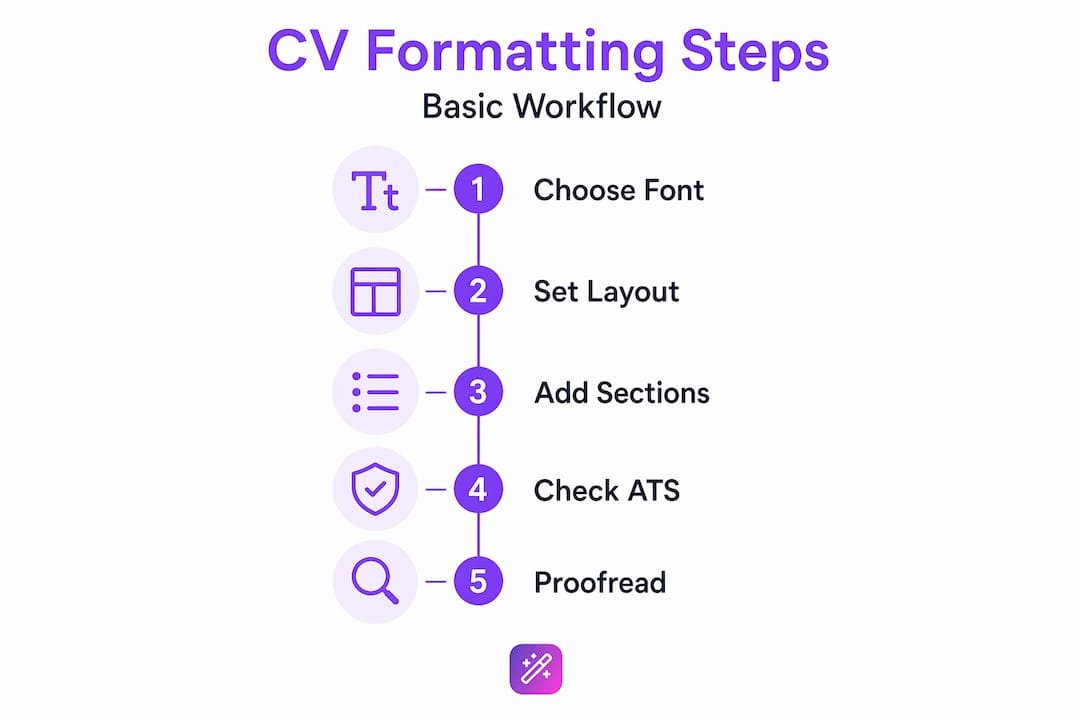
White space is not wasted space. White space signals section breaks to ATS, improving parsing accuracy, and it gives recruiters’ eyes natural resting points. Margins of at least 0.5 inches and line spacing of 1.15 to 1.5 are a reliable starting range.
Dates and contact information
Use a consistent date format throughout. Formats like “Jan 2020 to Dec 2022” parse correctly in most ATS platforms. Numeric-only formats like “01/20 to 12/22” create ambiguity and should be avoided. Put your contact details, including your phone number, email, and LinkedIn URL, in the body of the document. Contact info in headers or footers is frequently skipped by ATS during parsing.
Pro Tip: Open your saved PDF and press Ctrl+A to select all text. If you can highlight and copy every section of the document continuously, the text is machine-readable. If blocks of text cannot be selected, your file will not parse correctly in ATS.
For a deeper look at what sections to build into your CV and how to order them, the modern CV sections guide on Easy-cv walks through every component with practical detail.
Choosing the right file format for ATS compatibility
The PDF versus DOCX debate has been going on for years, and the answer in 2026 is more nuanced than most articles admit.
Modern ATS parse both text-based PDFs and DOCX equally well. The key qualifier is “text-based.” A PDF created by saving a Word document or exporting from a CV builder contains a real text layer that machines can read. A PDF created by scanning a printed document, or exported from certain design tools as an image, contains no readable text at all. ATS cannot extract a single word from it.
DOCX files have one specific advantage. Staffing agencies and recruiters at many firms need to edit your CV before submitting it to clients. They add their own branding, remove your contact details, or reformat sections to fit a client template. A PDF does not allow this easily. If you are applying through a recruiter rather than directly, DOCX is often the smarter choice.
Here is a practical approach that removes most of the guesswork:
- Always follow the file format instructions in the job posting. If the employer specifies DOCX, send DOCX.
- If no preference is stated and you are applying directly, a text-based PDF is generally fine.
- If you are working with a recruitment agency, ask what format they prefer.
- Keep both a PDF and a DOCX version of every CV saved and ready to submit.
Using Word’s built-in heading styles, such as Heading 1 for section labels, helps ATS recognize those sections correctly in DOCX files. It takes two minutes to apply and removes a significant source of parsing uncertainty.
Pro Tip: If your CV was built in a design tool or uses heavy visual formatting, test the PDF before you submit it. Copy all the text into a plain text editor. If the order makes sense and nothing is missing, you are good. If the text is jumbled, reformatted, or incomplete, the PDF needs to be rebuilt.
CV length and sections by experience level
One of the most stubborn myths in the job search world is that CVs must always be one page. That idea comes from resume culture in the United States, where brevity is valued in early-career applications. In most other contexts, and especially for professionals with more than five years of experience, a single page actually signals a lack of relevant background.
Two-page resumes are selected 2.3 times more often than one-page versions for mid and senior-level roles. The right length is the one that covers your relevant experience without padding or omission. Not one arbitrary page, and not five pages of everything you have ever done.
Here is how length and section focus typically break down by experience level:
| Experience level | Recommended length | Section emphasis |
|---|---|---|
| Entry-level (0 to 3 years) | One page | Education, Skills, Internships, Projects |
| Mid-level (3 to 10 years) | One to two pages | Work Experience, Skills, Certifications |
| Senior-level (10+ years) | Two pages | Work Experience, Leadership, Achievements |
| Academic or research roles | Two or more pages | Publications, Research, Grants, Education |
Beyond length, every CV should include these core sections regardless of experience:
- Personal profile or professional summary (three to four focused sentences)
- Work experience with bullet points describing impact, not just duties
- Education with institution, degree, and graduation year
- Skills, both technical and relevant soft skills
Optional sections worth adding when relevant include certifications, languages, volunteer work, publications, and awards. The deciding factor is always whether the section adds evidence of your fit for the specific role you are targeting.
Tailoring your content to the language of each job description is where best CV formatting techniques intersect with content strategy. You can learn more about this in the multiple CV versions guide on Easy-cv, which covers why maintaining role-specific versions gives you a measurable advantage over generic applications.
Common CV formatting mistakes to avoid
Most CV formatting errors fall into a predictable pattern. They usually come from trying to make the document look impressive rather than making it function correctly. Here are the most damaging ones:
- Creative section headings. Replacing “Work Experience” with “Where I Have Made an Impact” will cause ATS to skip the section entirely.
- Tables and text boxes. ATS reads these structures as images or containers with unpredictable output. Content inside them often disappears during parsing.
- Multi-column layouts. Visually appealing but functionally risky for machine reading, as covered earlier.
- Decorative fonts and icons. These either render as garbage characters or get skipped during text extraction.
- Photos and personal information. In many markets, photos introduce bias and create legal risk for employers. Some ATS also fail to parse content near images correctly.
- Cramped layout. Reducing margins to 0.2 inches and line spacing to single to fit more content makes the document harder to read and can confuse ATS parsing.
Pro Tip: Paste your CV content into a plain-text editor like Notepad. If the result reads logically from top to bottom with no scrambled text or missing sections, your formatting is likely ATS-safe. If it looks like a jumbled mess, your current layout is causing parsing problems.
The fix for almost every one of these mistakes is the same: go simpler. A clean, predictable structure serves you better than any creative design choice.
My honest take on what CV formatting actually decides
I have reviewed hundreds of CVs and spoken with enough recruiters to say this plainly: most applications fail before anyone reads a single word. Not because the candidate was underqualified, but because the formatting made the document invisible to the system screening it.
What I have seen consistently is that job seekers treat formatting as cosmetic, something to think about after the content is done. In reality, formatting is infrastructure. You would not build a house and then figure out the foundation. Your content does not exist to a recruiter if the document cannot be parsed.
The part that surprises most people is how little complexity it takes to get this right. I have seen simple, clean CVs on a standard template outperform elaborately designed ones again and again. Not because design is bad, but because clarity signals competence. A recruiter scanning for three seconds does not reward visual creativity. They reward instant readability.
There is also a misconception that ATS is the enemy. It is not. ATS systems are designed to match qualified candidates, not eliminate them unnecessarily. When a well-formatted CV gets rejected, it is almost always a keyword or relevance issue, not a conspiracy. Format correctly, use the language of the job description, and the system works with you.
My practical advice: run your CV through the plain-text test before every application. Check that your headings are standard, your dates are consistent, and your contact information sits in the body. Then focus your energy on tailoring the content itself. Those two things together, solid formatting and targeted content, are what move applications forward.
— Andras
Build a perfectly formatted CV with Easy-cv
If you want to take the guesswork out of CV formatting entirely, Easy-cv handles the structural and technical decisions for you automatically.
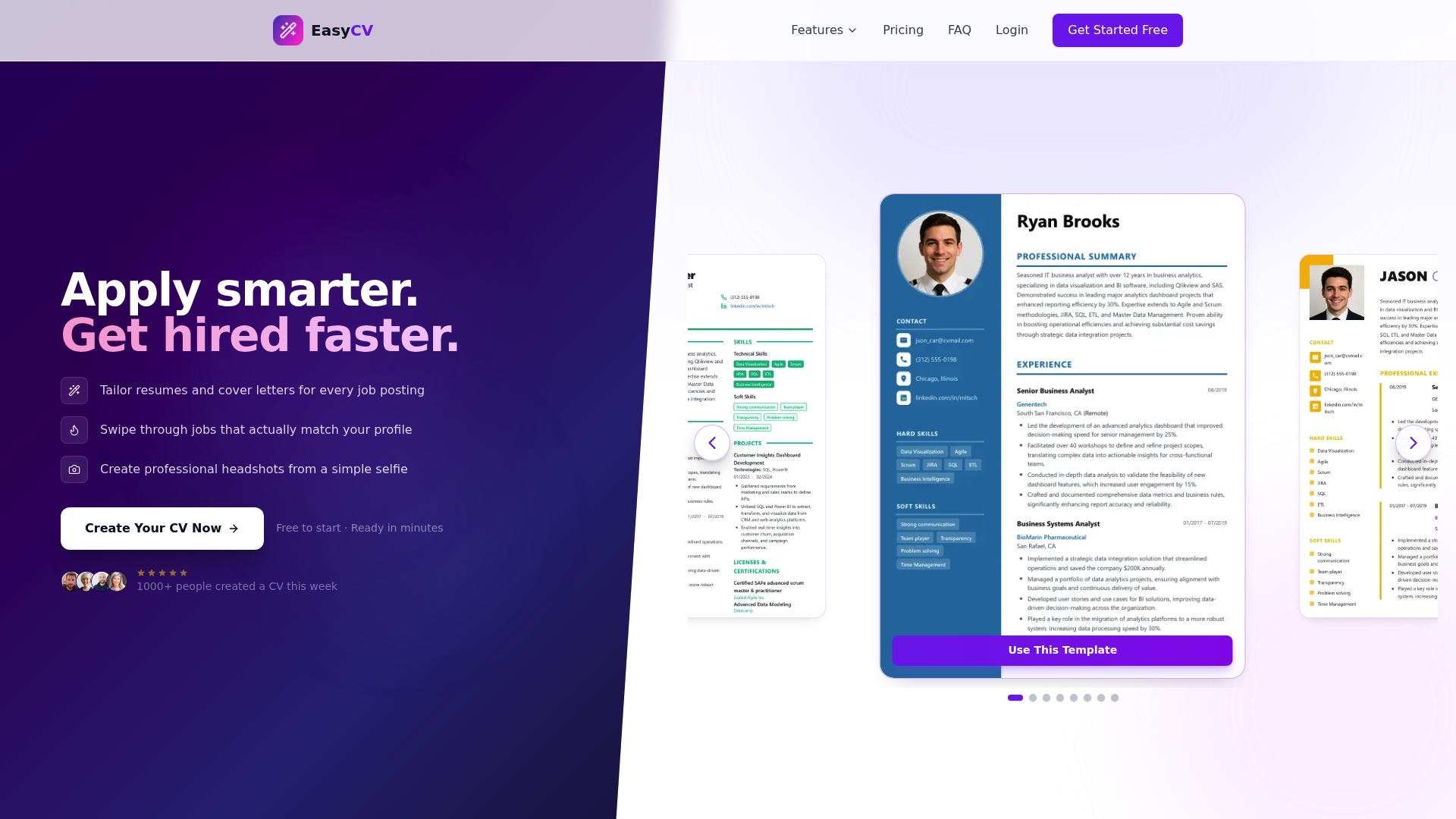
Every template in the Easy-cv builder is designed to be ATS-compatible out of the box. Single-column layouts, standard section headings, clean typography, and correct contact placement are all built in. You focus on the content. The platform handles the formatting. The AI writing assistant helps you refine bullet points and summary sections, while the keyword optimization features keep your language aligned with the job descriptions you are targeting. You can export your CV as a text-based PDF or DOCX in seconds, ready for direct applications or agency submissions. For a full breakdown of what the platform offers, the Easy-cv features page covers every tool available at each plan level.
FAQ
What is CV formatting in simple terms?
CV formatting refers to the visual layout, structure, and technical presentation of your CV. It includes font choices, section headings, margins, date formats, and file type, all of which affect how both ATS software and human recruiters read your document.
Does CV formatting really affect whether I get an interview?
Yes, significantly. Over 75% of employers use ATS to screen applications, and poor formatting can drop your pass rate from 85% to as low as 25%. Even if your document reaches a recruiter, a cluttered or confusing layout reduces the chance they will engage with your content.
Should I submit my CV as a PDF or DOCX?
It depends on the context. Text-based PDFs and DOCX files parse equally well in modern ATS. Use DOCX when applying through recruiters who need editable files, and always follow any file format instructions stated in the job posting.
How long should a CV be?
Entry-level candidates should target one page. Mid-level and senior professionals should aim for two pages, as two-page CVs are selected significantly more often for those roles. The real rule is that every line should earn its place by demonstrating relevance to the role.
What sections should every CV include?
Every CV should include a personal profile, work experience, education, and a skills section. Optional additions like certifications, languages, or publications are worth including when they directly support your application for the specific role you are targeting. For a full breakdown, see the CV sections guide on Easy-cv.